
How to reschedule, cancel, or delete a booking
Last updated: September 15, 2026
Change a booking time, cancel it, or remove it from the app.
You can act from the Bookings list (row menu) or from the booking detail page.
Reschedule
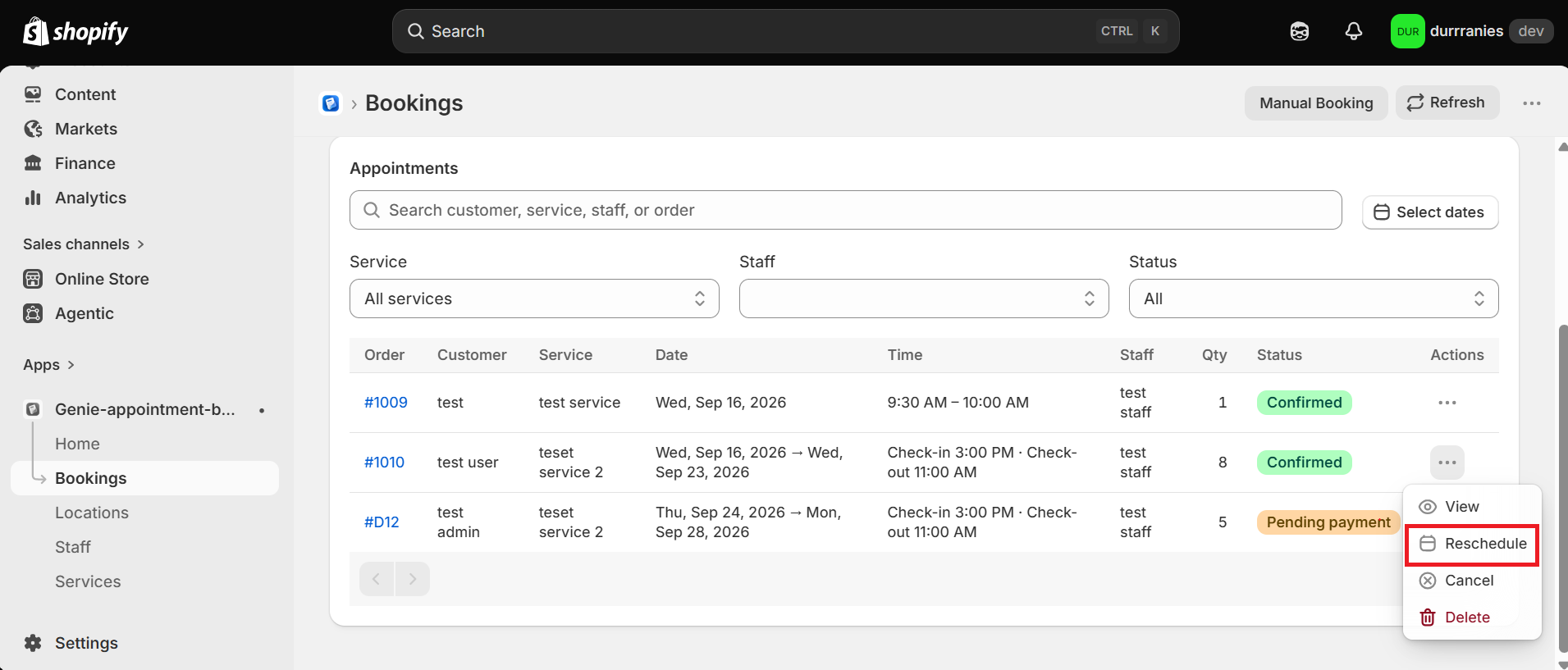
Reschedule is available only for Confirmed bookings. Open the row menu and click "Reschedule", or open the booking and click "Reschedule".
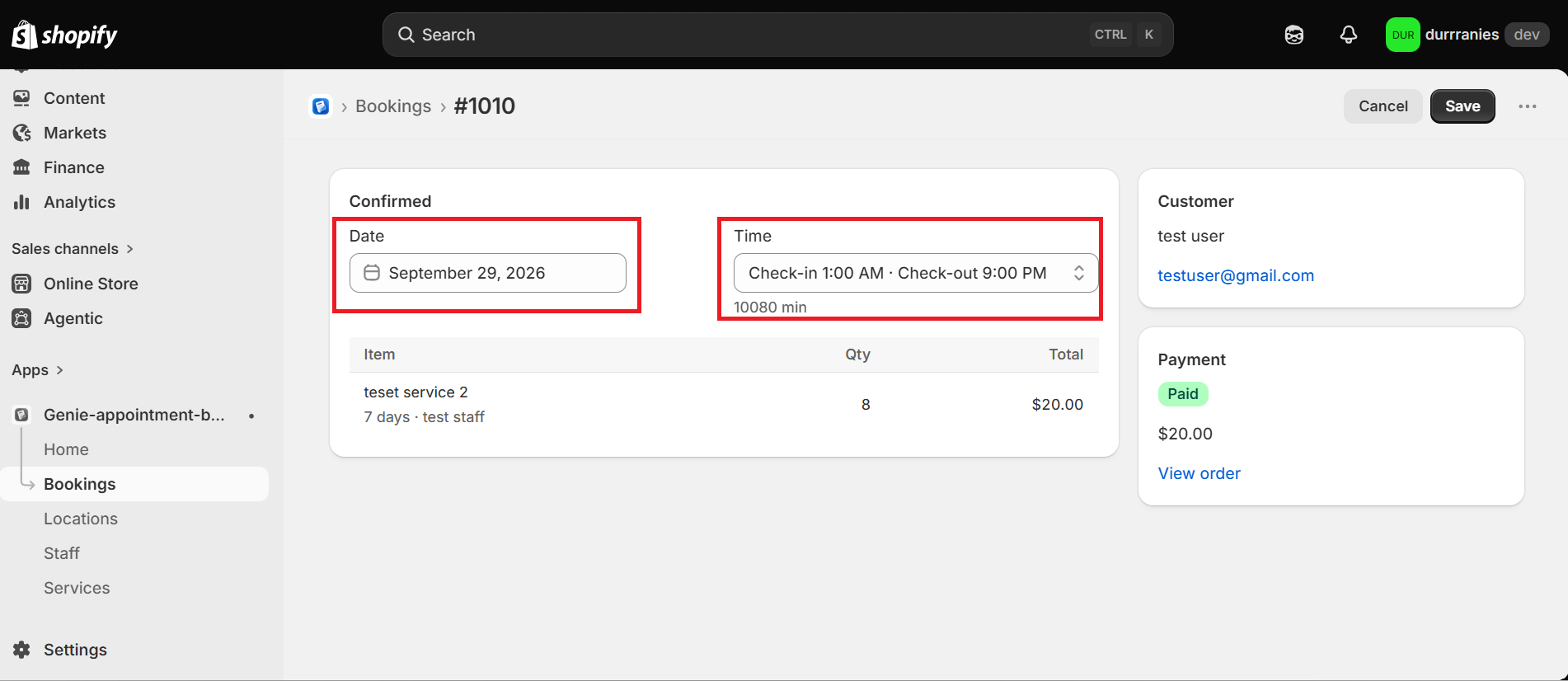
Choose a new date and time, then click Save.
Pending payment bookings cannot be rescheduled until the customer pays the invoice.
Cancel
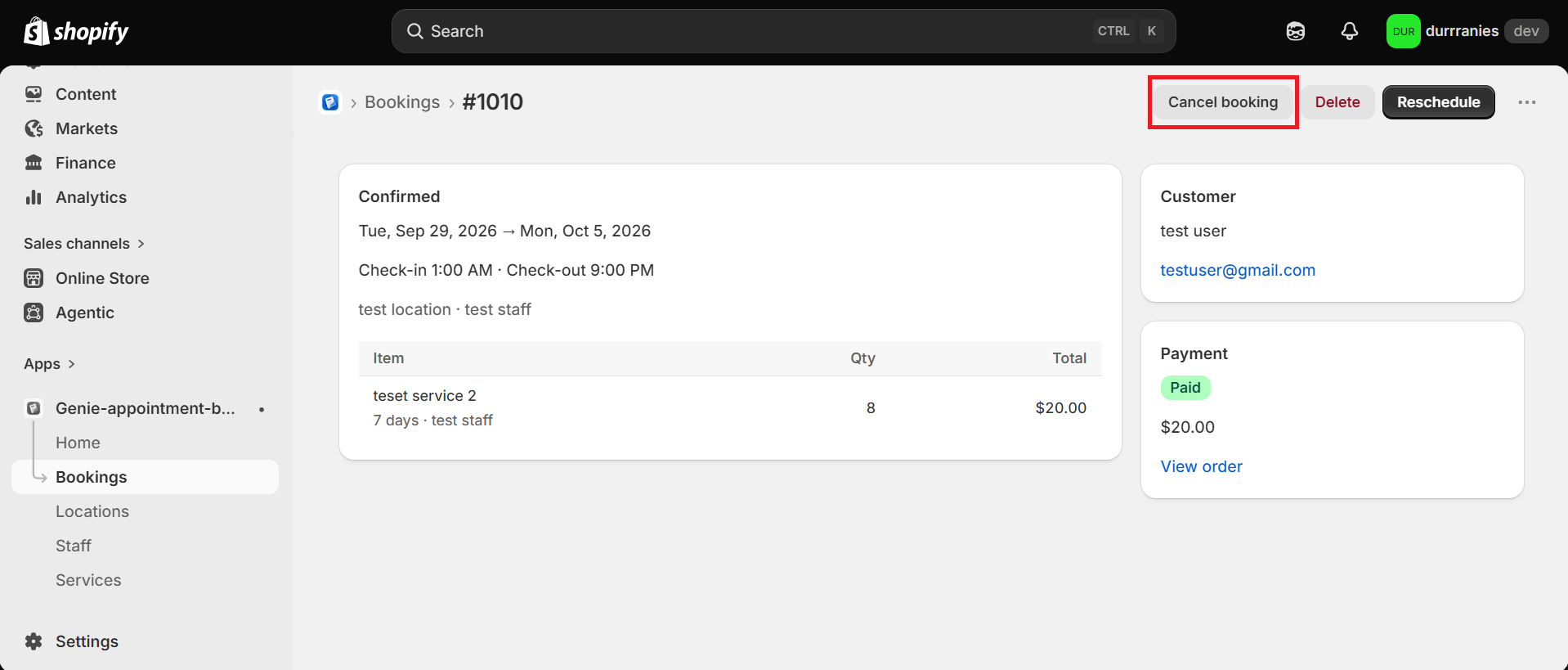
Open the row menu and click "Cancel", or on the detail page click "Cancel booking". Confirm in the dialog.
The booking stays in the list as Cancelled. Whether the linked Shopify order is cancelled or refunded depends on Settings → General → Refund and cancellation.
Delete
Open the row menu or the detail page and click "Delete". Confirm in the dialog.
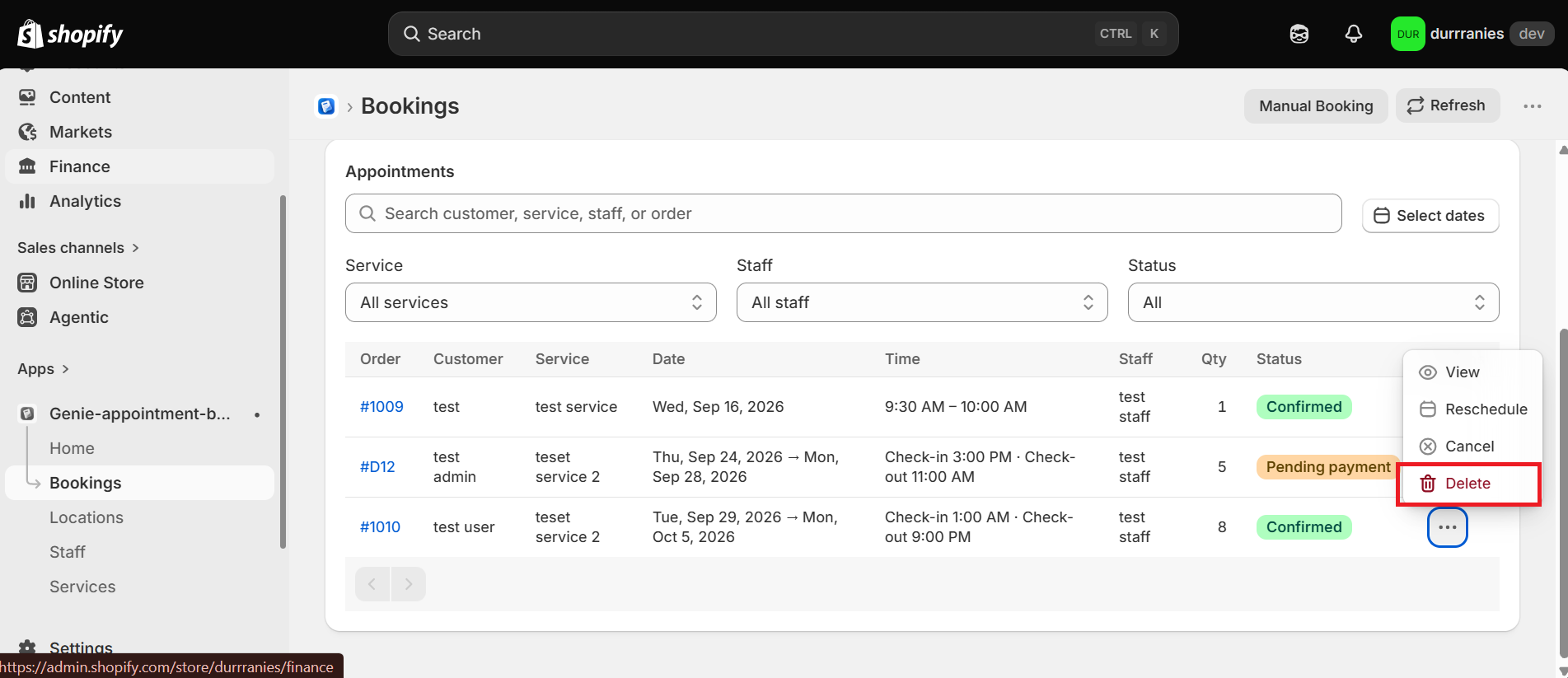
Delete removes the booking from the app and cannot be undone. It does not refund the Shopify order.