
How to customize Calendar styling
Last updated: September 17, 2026
Change the month bar, weekday labels, and date colors.
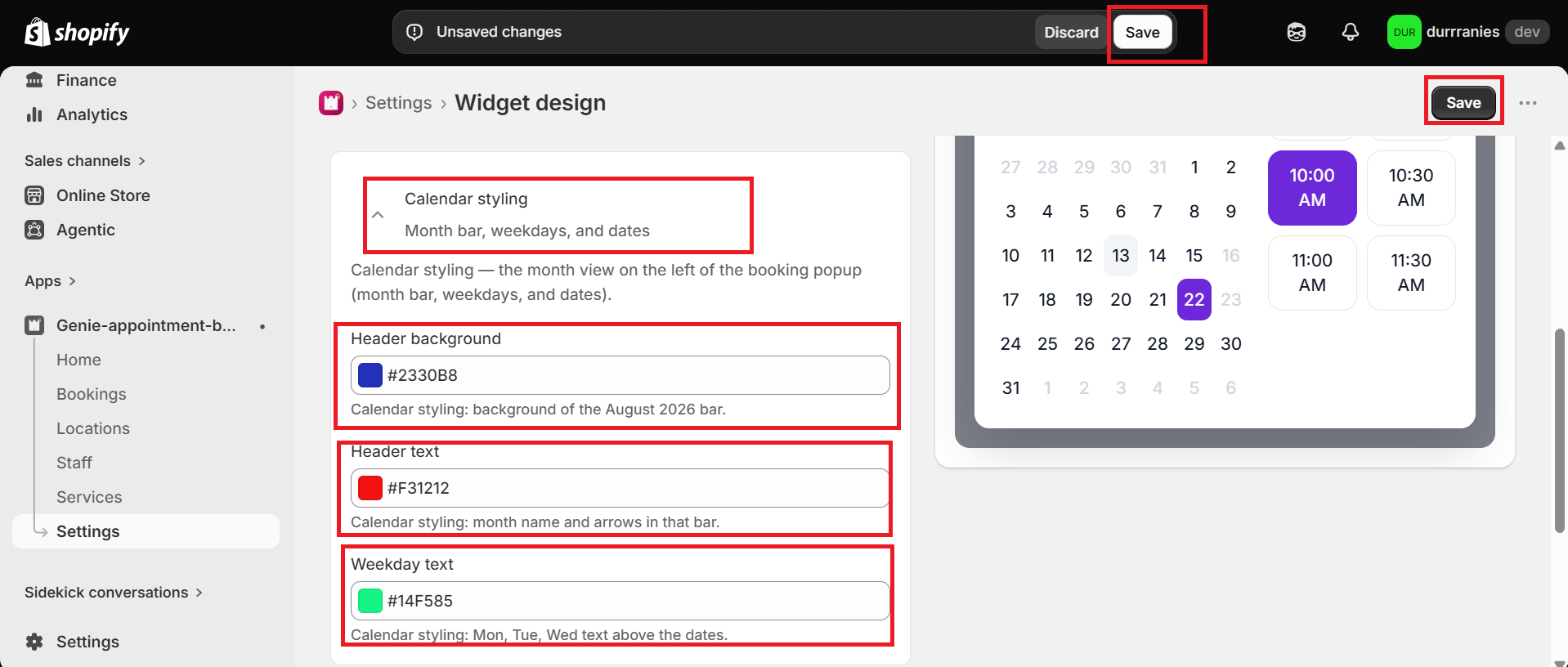
Calendar styling controls the month view on the left of the booking popup.
1
From the app sidebar, click Settings → Widget design.
2
Open "Calendar styling".
3
Set Header background, Header text, and Weekday text.
4
Click Save.
What's Next