
How to assign Staff and locations
Last updated: September 15, 2026
Choose who can deliver the service and where customers can book it.
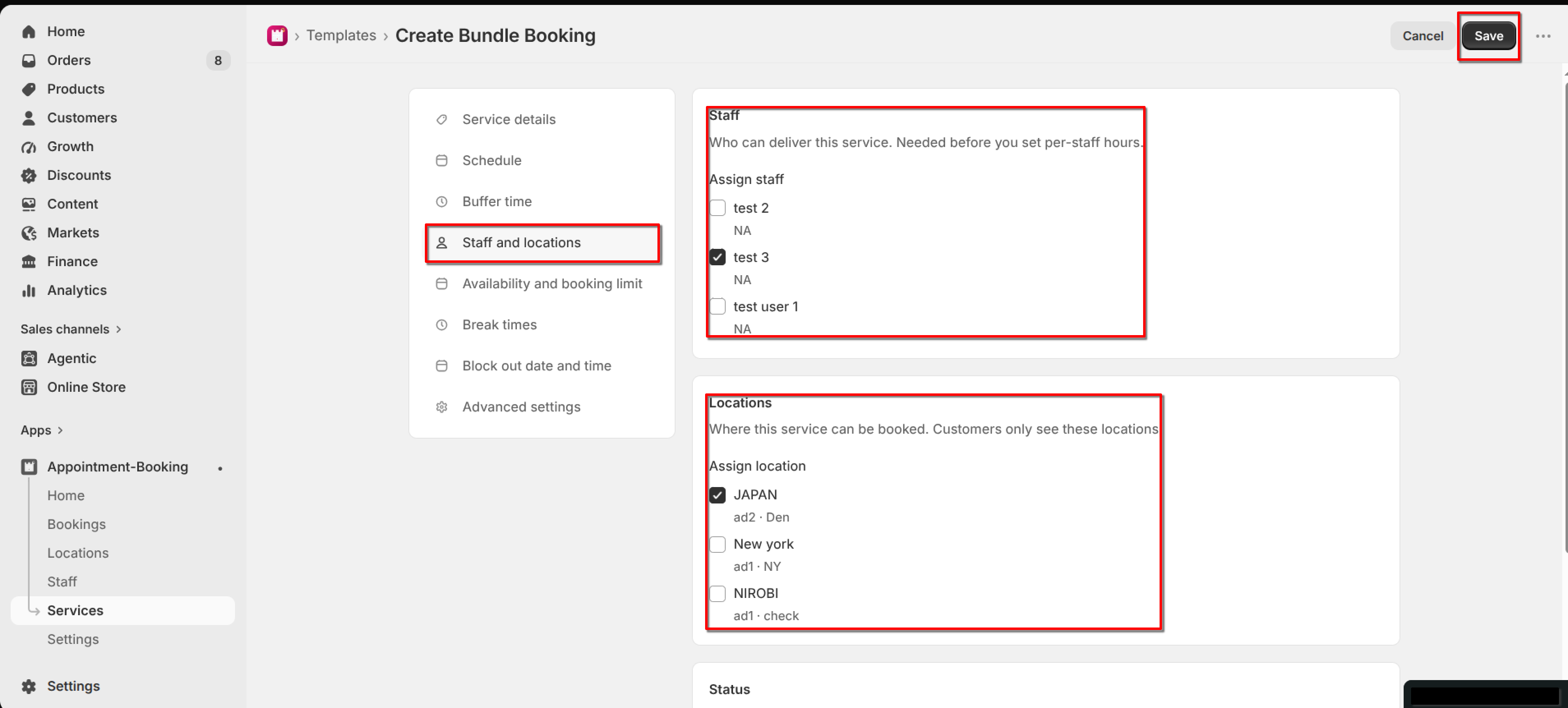
Open the service and click "Staff and locations" in the left menu. Customers only see the staff and locations you assign here.
1
Under Assign staff, select one or more team members.
If you see "No staff yet", create a staff member first, then return here.
2
Under Assign location, select one or more locations.
If you see "No locations yet", create a location first, then assign it here.
3
Click Save.
What's Next