
How to set Availability and booking limit
Last updated: September 15, 2026
Set weekly hours, whether hours are shared or per staff, and how many bookings can happen at once.
Open the service and click "Availability and booking limit" in the left menu.
Availability type
Choose "Availability per service" for one shared weekly schedule, or "Availability per teammate" for different hours per assigned staff member. Assign staff first if you want per-teammate hours.
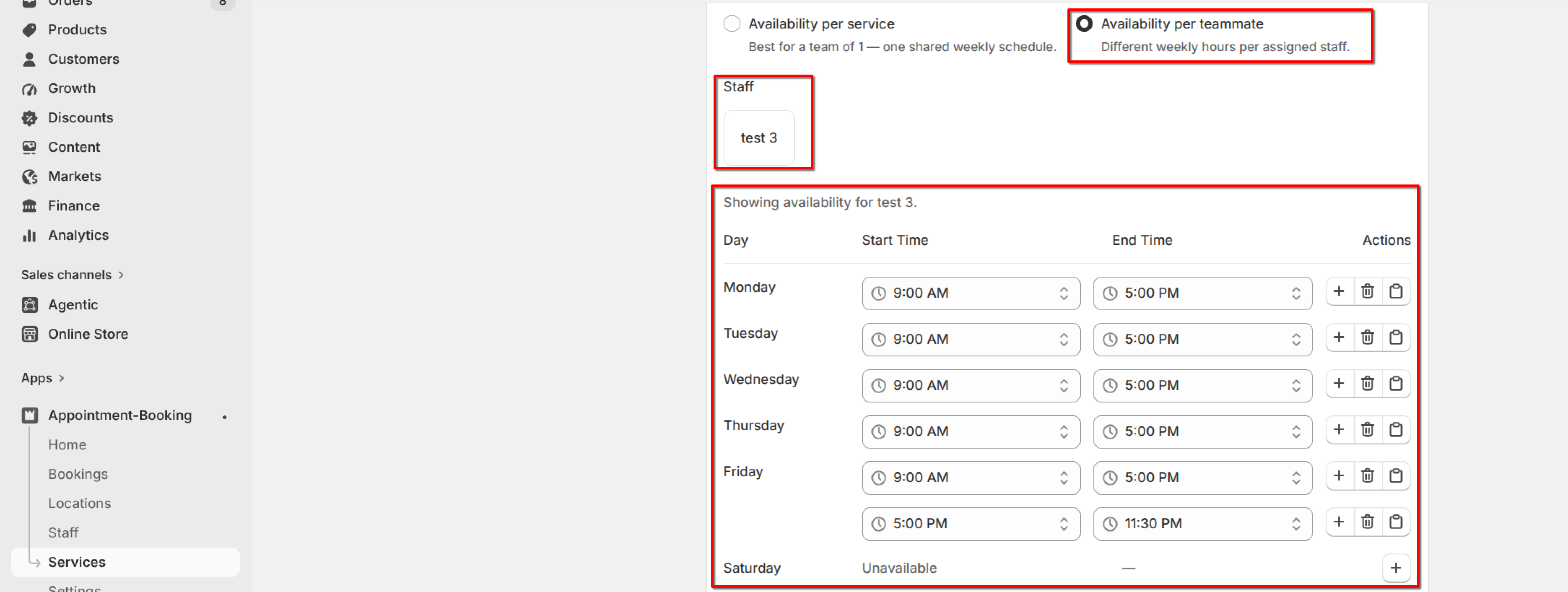
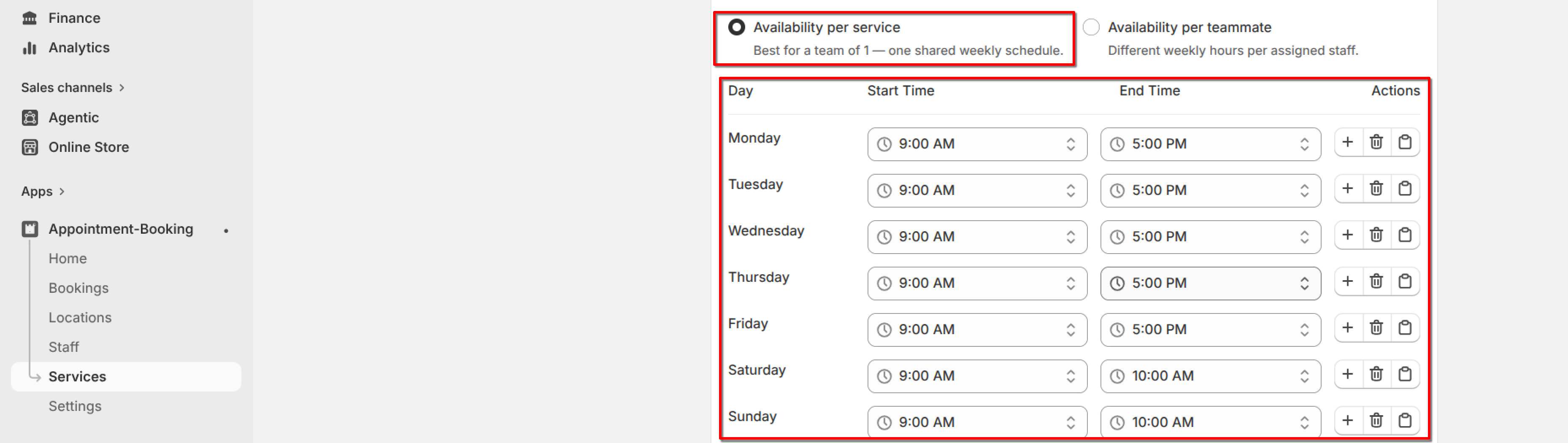
Turn days on and add time ranges for when this service can be booked. You can copy a time slot to other days.
Booking limit
Set Capacity per slot (maximum bookings at the same time). Set 0 to block all bookings.
Optionally turn on "Customize capacity for each availability" to set capacity on each time block.
Set Daily booking limit (maximum bookings per day across all slots). Set 0 to block all bookings.
Click Save.
What's Next