
How to enable SMS and WhatsApp notifications
Last updated: September 15, 2026
Send booking messages by SMS or WhatsApp using Twilio.
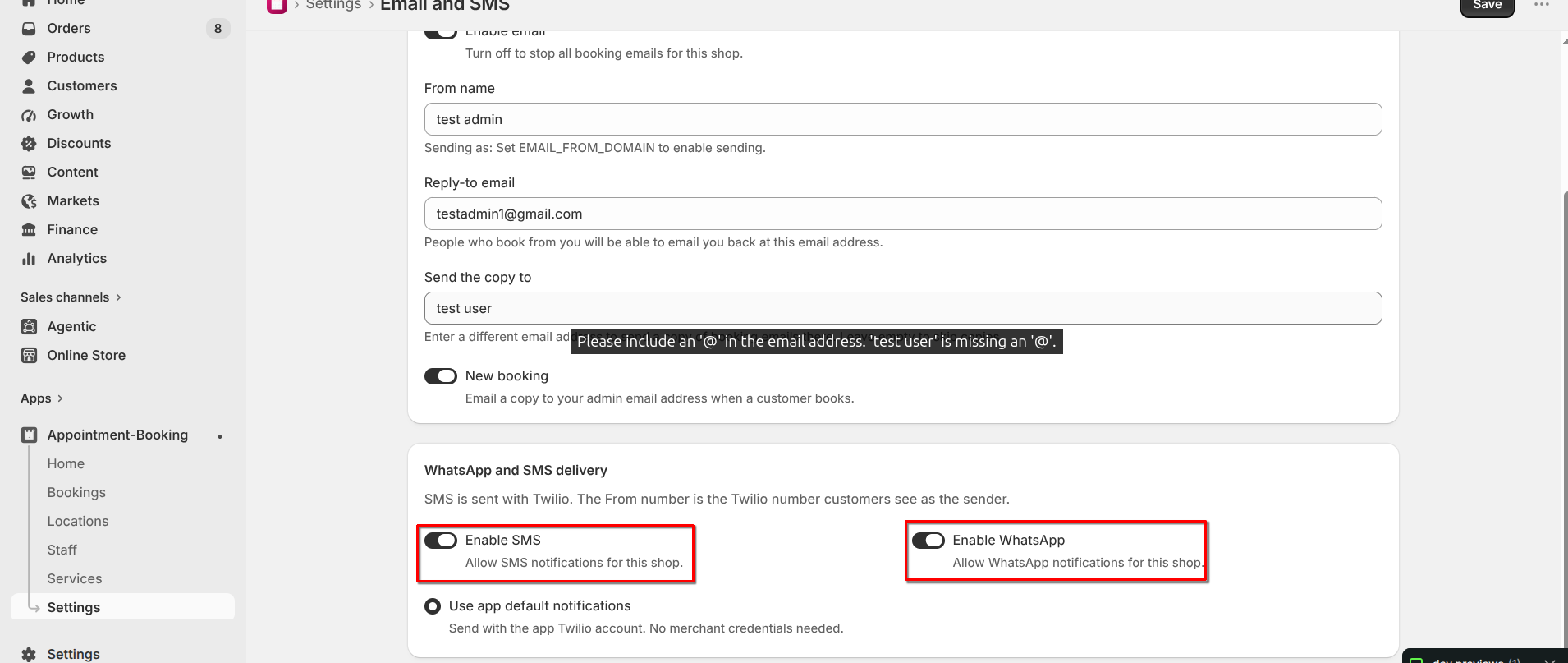
Open Settings → Email and SMS settings → WhatsApp and SMS delivery. SMS is sent with Twilio. The From number is the Twilio number customers see as the sender.
1
Turn on "Enable SMS" and/or "Enable WhatsApp".
2
Under Twilio account, choose "Use app default notifications" to send with the app Twilio account (no merchant credentials needed).
3
Click Save.
What's Next