
How to set refund and cancellation rules
Last updated: September 15, 2026
Control what happens to the Shopify order when a booking is cancelled, and the other way around.
These switches are in Settings → General → Refund and cancellation.
From the app sidebar, click Settings → General.
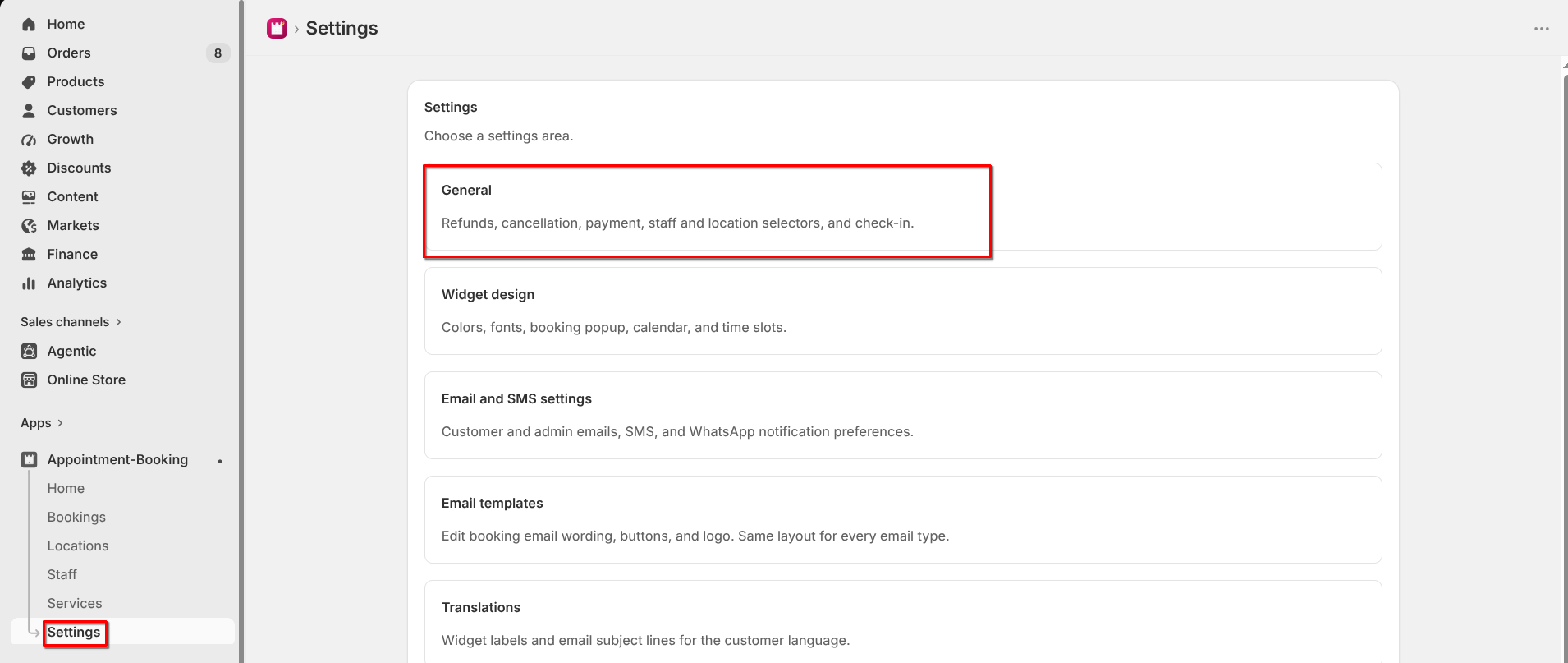
Turn on or off each rule, then click Save.
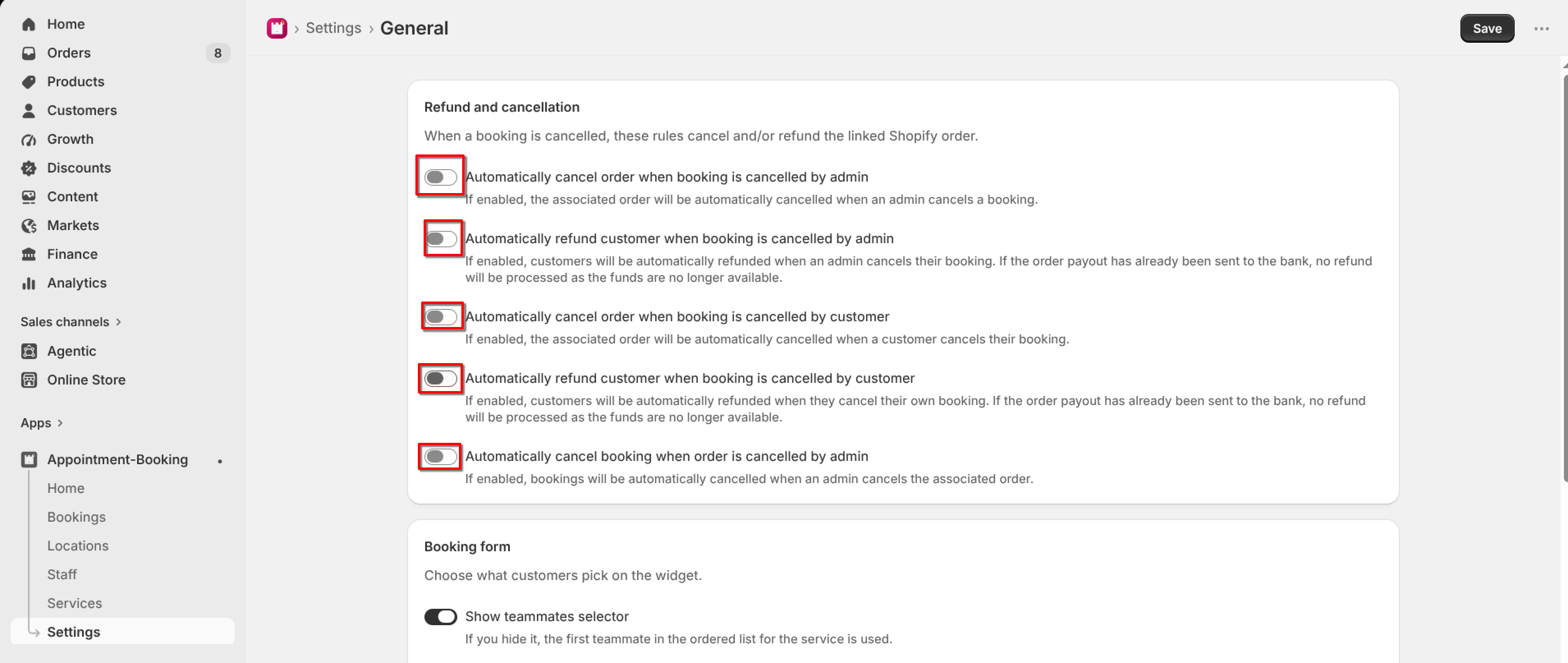
The rules are:
Automatically cancel order when booking is cancelled by admin.
Automatically refund customer when booking is cancelled by admin.
Automatically cancel order when booking is cancelled by customer.
Automatically refund customer when booking is cancelled by customer.
Automatically cancel booking when order is cancelled by admin.
If the order payout has already been sent to the bank, a refund may not be processed because the funds are no longer available.
Cancelling a booking in the app is separate from Delete. Delete only removes the record from the app and does not refund the Shopify order.