
How to customize Field styling
Last updated: September 17, 2026
Set font, size, and colors for Staff, Location, and Review fields.
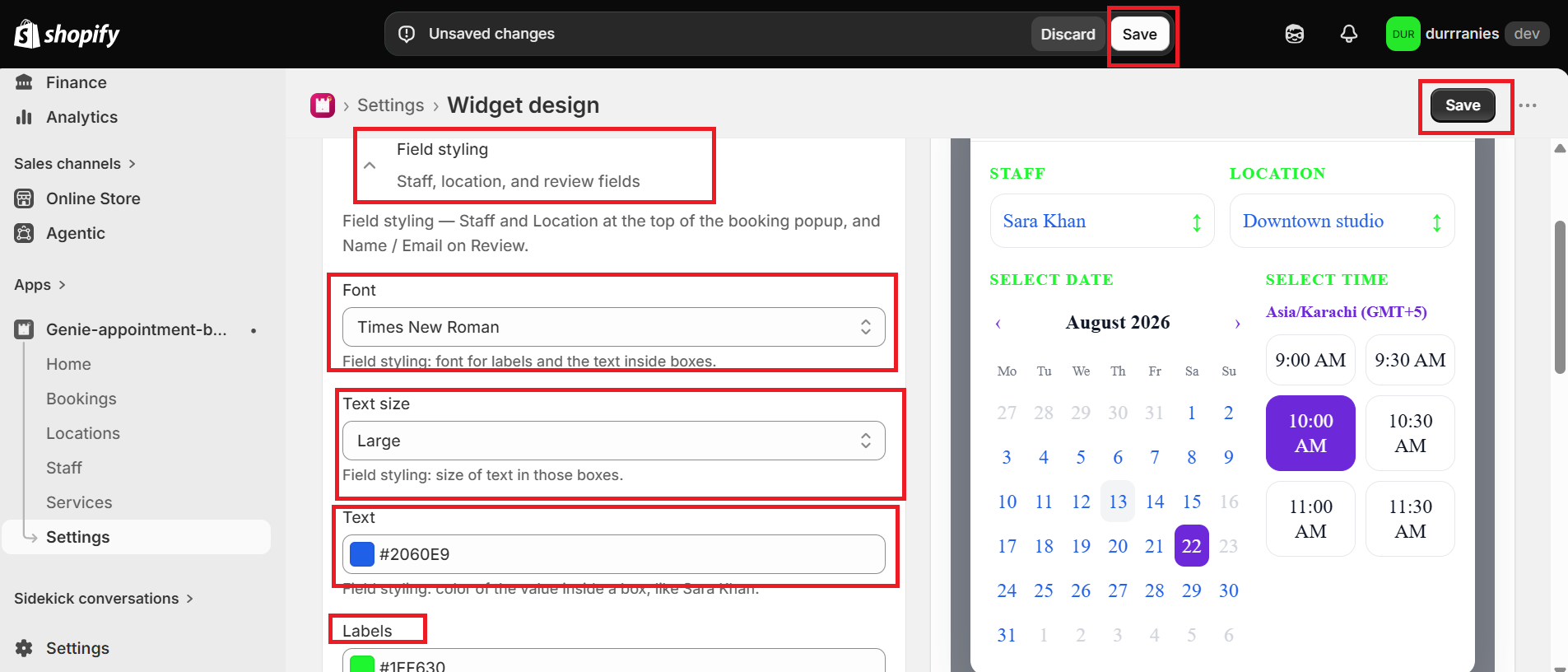
Field styling applies to Staff and Location at the top of the booking popup, and Name / Email on Review.
1
From the app sidebar, click Settings → Widget design.
2
Open "Field styling".
3
Choose Font, Text size, Text color, Labels color, Field border, Field border width, and Field corner radius.
4
Click Save.
What's Next