
Link Genie locations to Shopify locations for accurate stock deduction.
Connect Inventory ensures orders deduct stock from the correct Shopify location.
Open Connect Inventory
1
From the app sidebar, click "Locations".
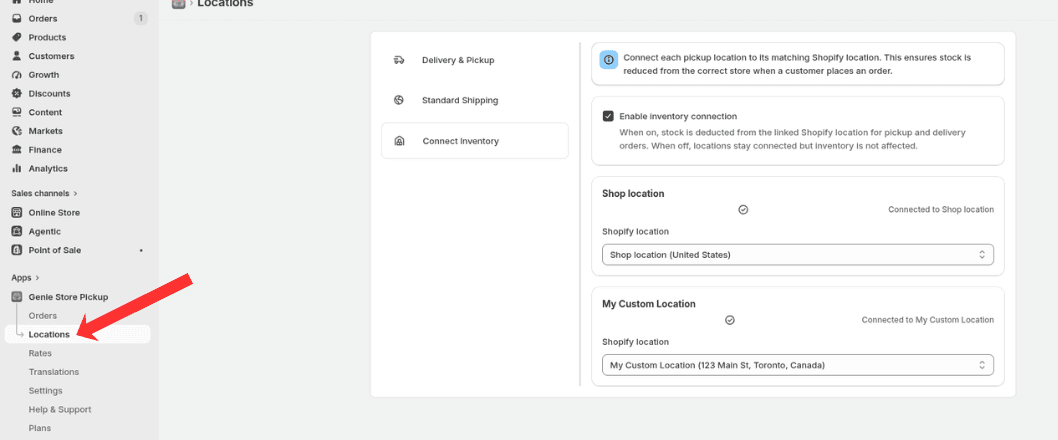
Open Locations from the app sidebar
2
Select the Connect Inventory tab in the sidebar.
Link locations
3
Enable inventory connection.
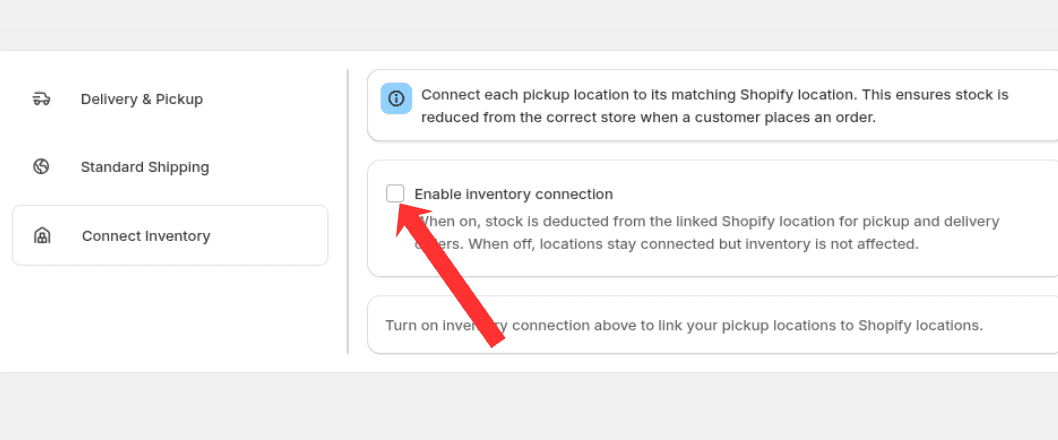
Turn on inventory connection to link pickup and delivery locations to Shopify
4
Link each Genie pickup or delivery location with the correct Shopify location.
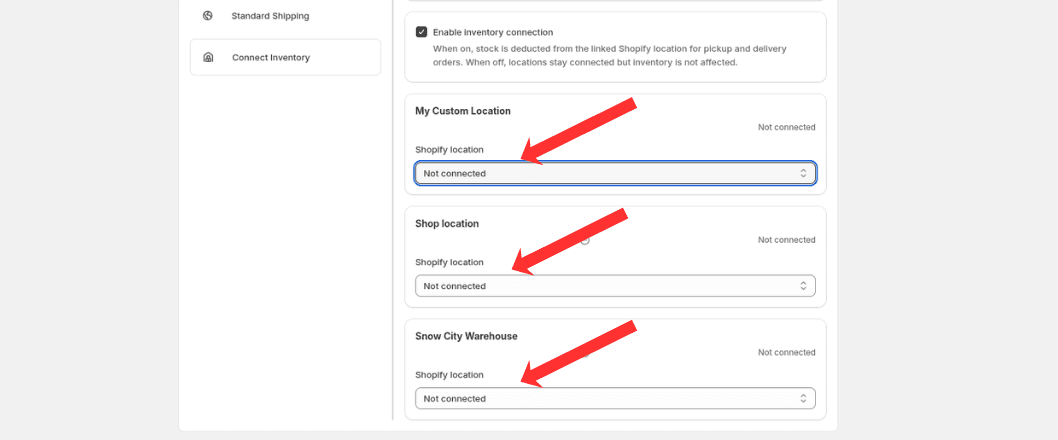
Select the matching Shopify location for each pickup or delivery location
This ensures stock is deducted from the correct Shopify location when orders are placed.
What's Next