
Enable Local Delivery and/or Store Pickup and configure zip or postal code rules.
Choose which fulfillment methods this location offers and define where local delivery is available.
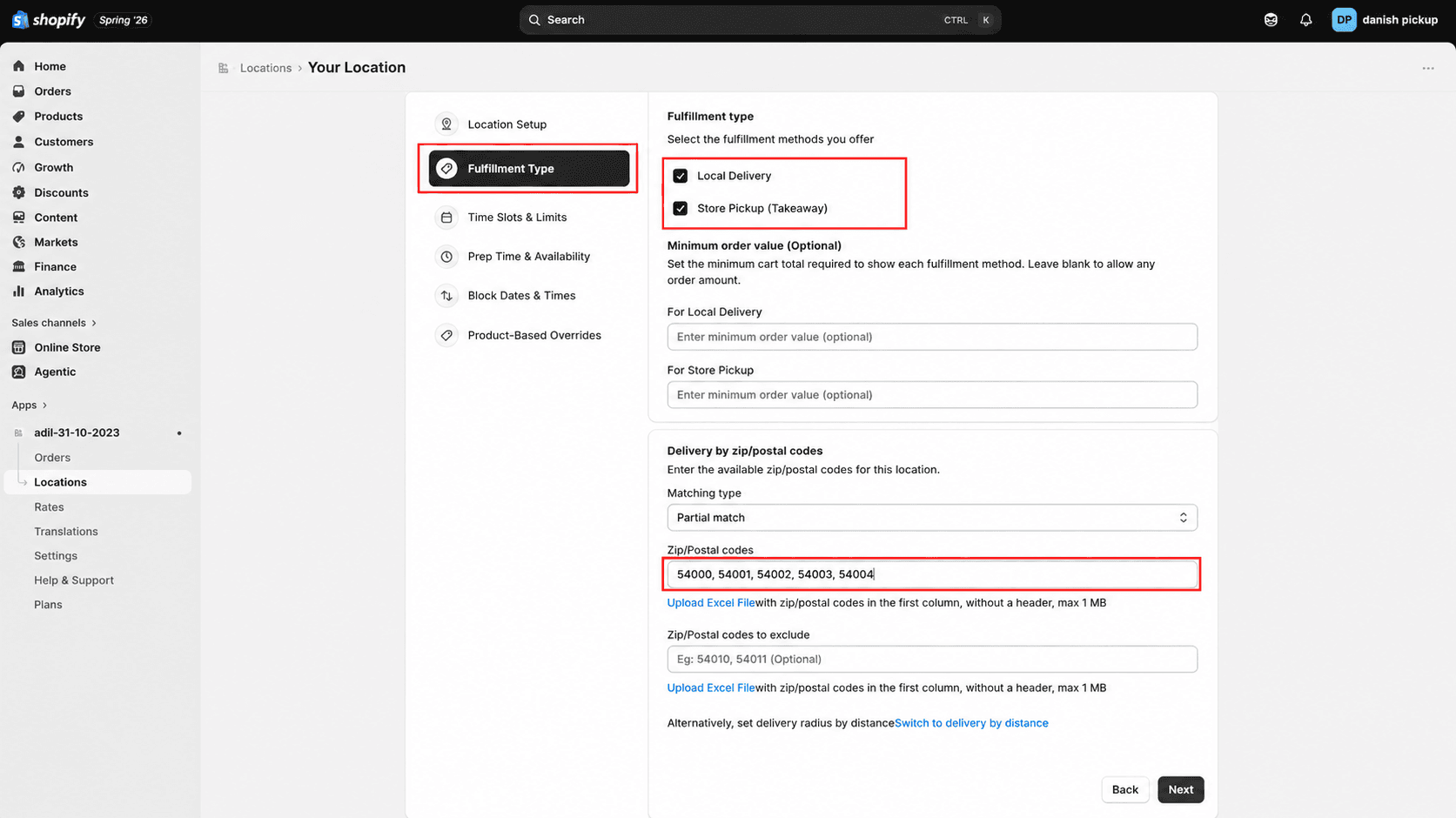
Select fulfillment methods
1
Select Local Delivery and/or Store Pickup.
Click Locations from the app sidebar
2
Optionally set a minimum order value for each enabled method.
Configure delivery by zip or postal codes
3
Choose the matching type for delivery areas.
4
Enter allowed zip or postal codes.
5
Optionally enter excluded zip or postal codes.
Use the Excel upload option to add zip or postal codes in bulk.
What's Next