
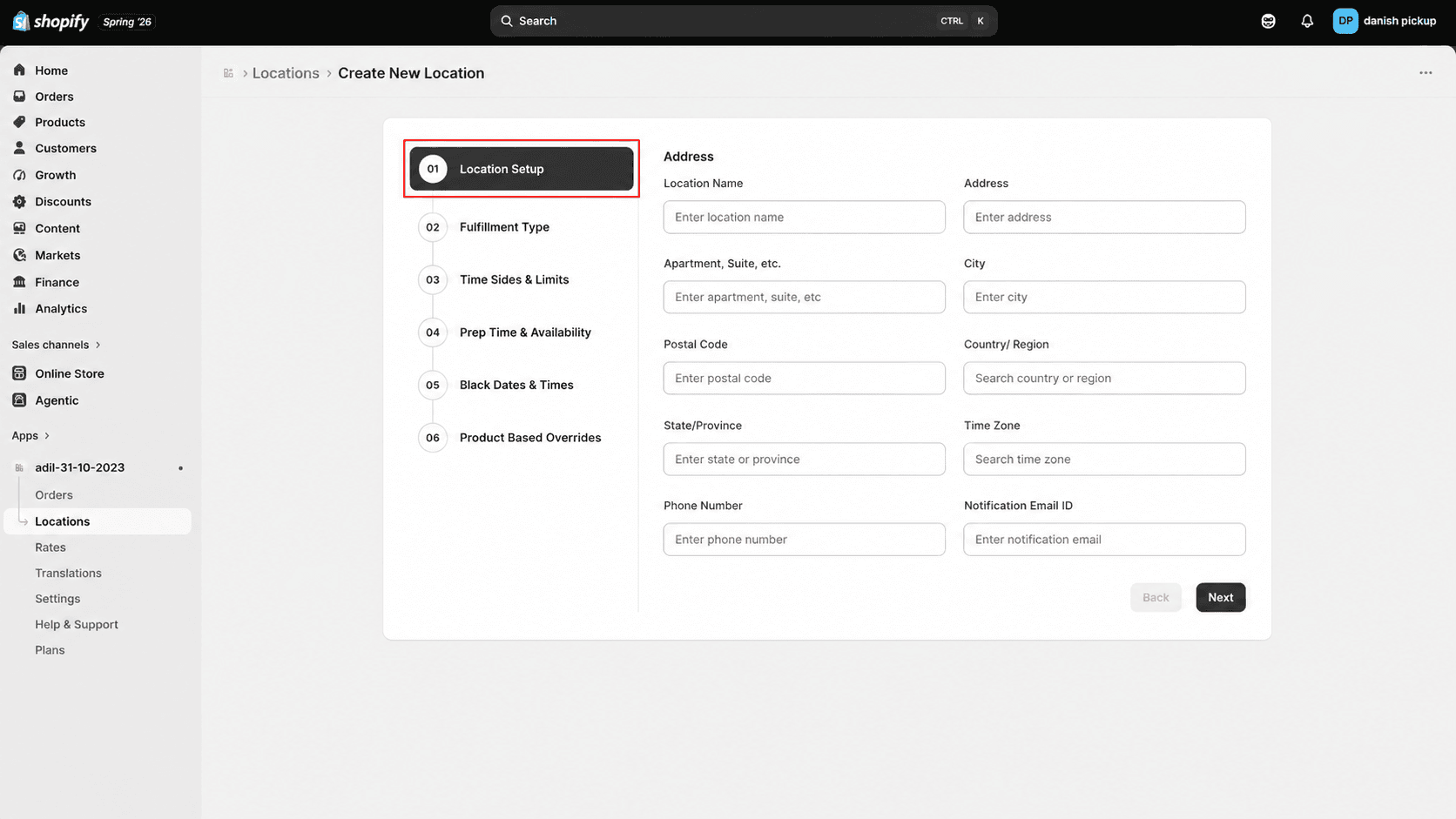
Enter location name, address, contact details, and time zone in the first wizard step.
The Location Setup step collects the basic details customers and your team need for this location.
Enter location details
1
Enter the location name.
Click Locations from the app sidebar
2
Enter the street address and apartment or suite, if applicable.
3
Enter the city, postal code, country or region, and state or province.
4
Select the time zone for this location.
5
Enter the phone number and notification email.
6
Click "Next" to continue to Fulfillment Type.
What's Next