
Product-Based Overrides
Last updated: June 16, 2026
Create overrides for specific product tags or SKUs with custom fulfillment rules.
Product-based overrides let you change fulfillment behavior for specific products without affecting your whole store.
Add overrides
Click "Add overrides" on the location.
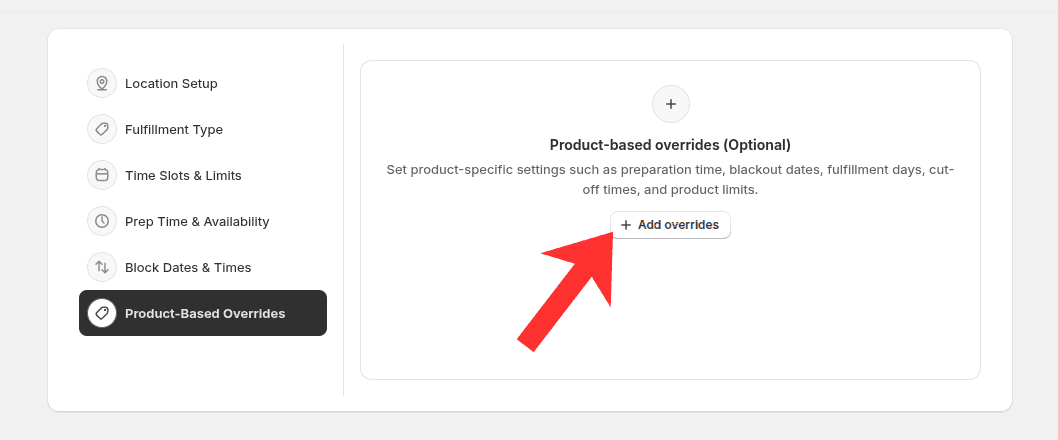
Add and configure product overrides for this location
Enable override status.
Select an override type, such as fulfillment methods.
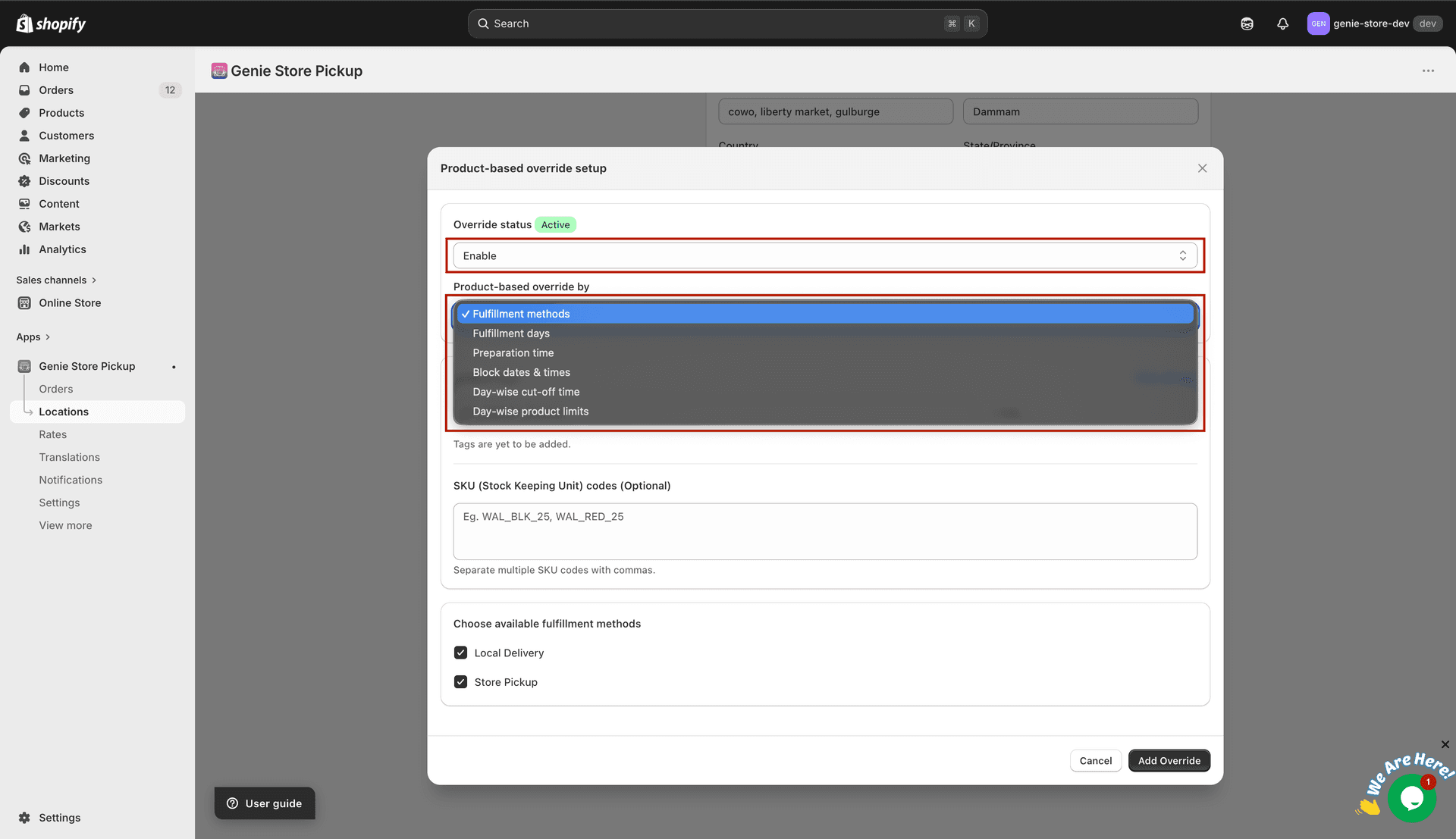
Pick one type per rule. Need more than one kind of change? Create another override.
Add product tags or SKU codes.
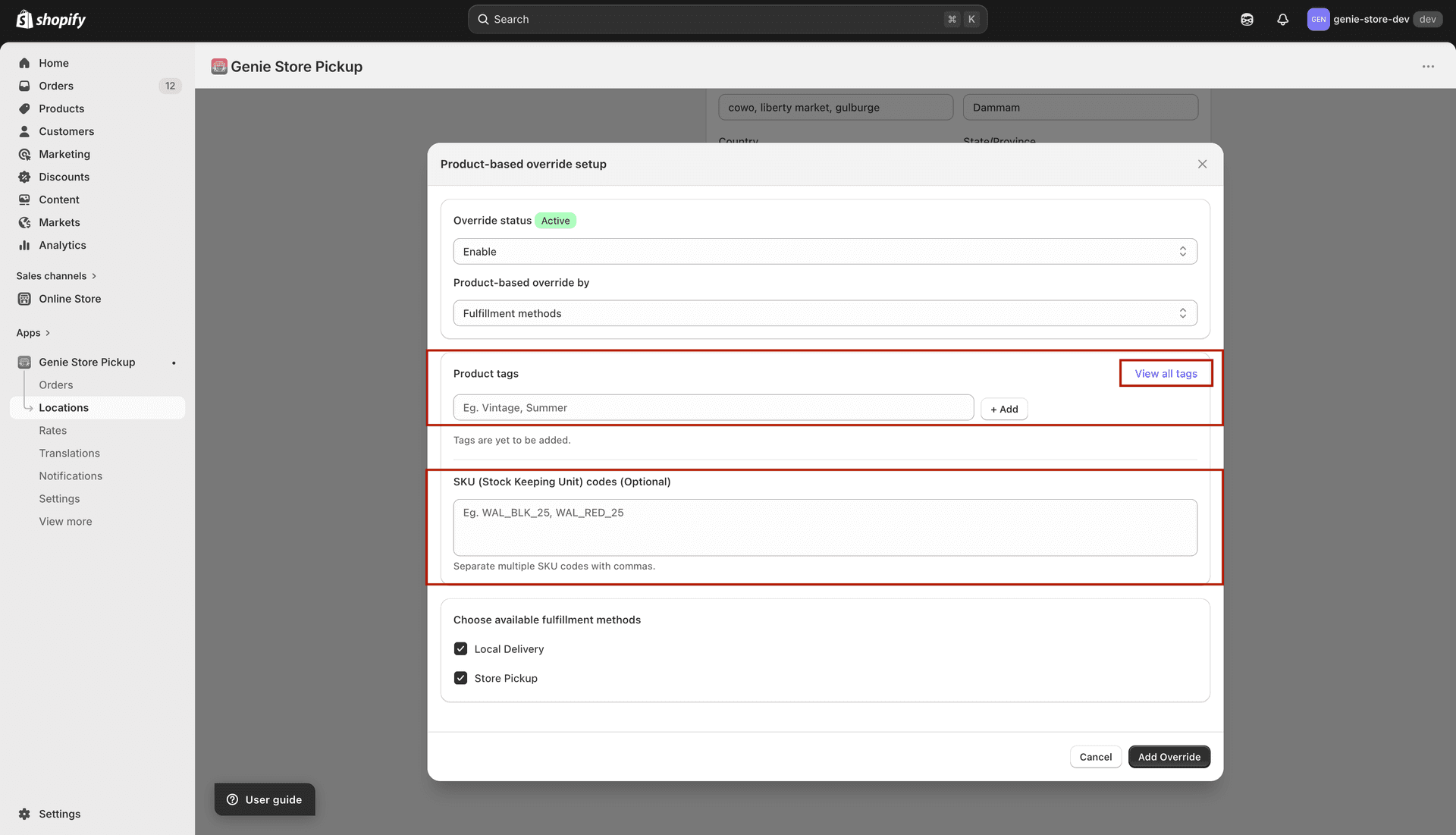
Tags must match Shopify exactly. SKUs are optional and comma-separated.
Choose available fulfillment methods: Local Delivery and/or Store Pickup.
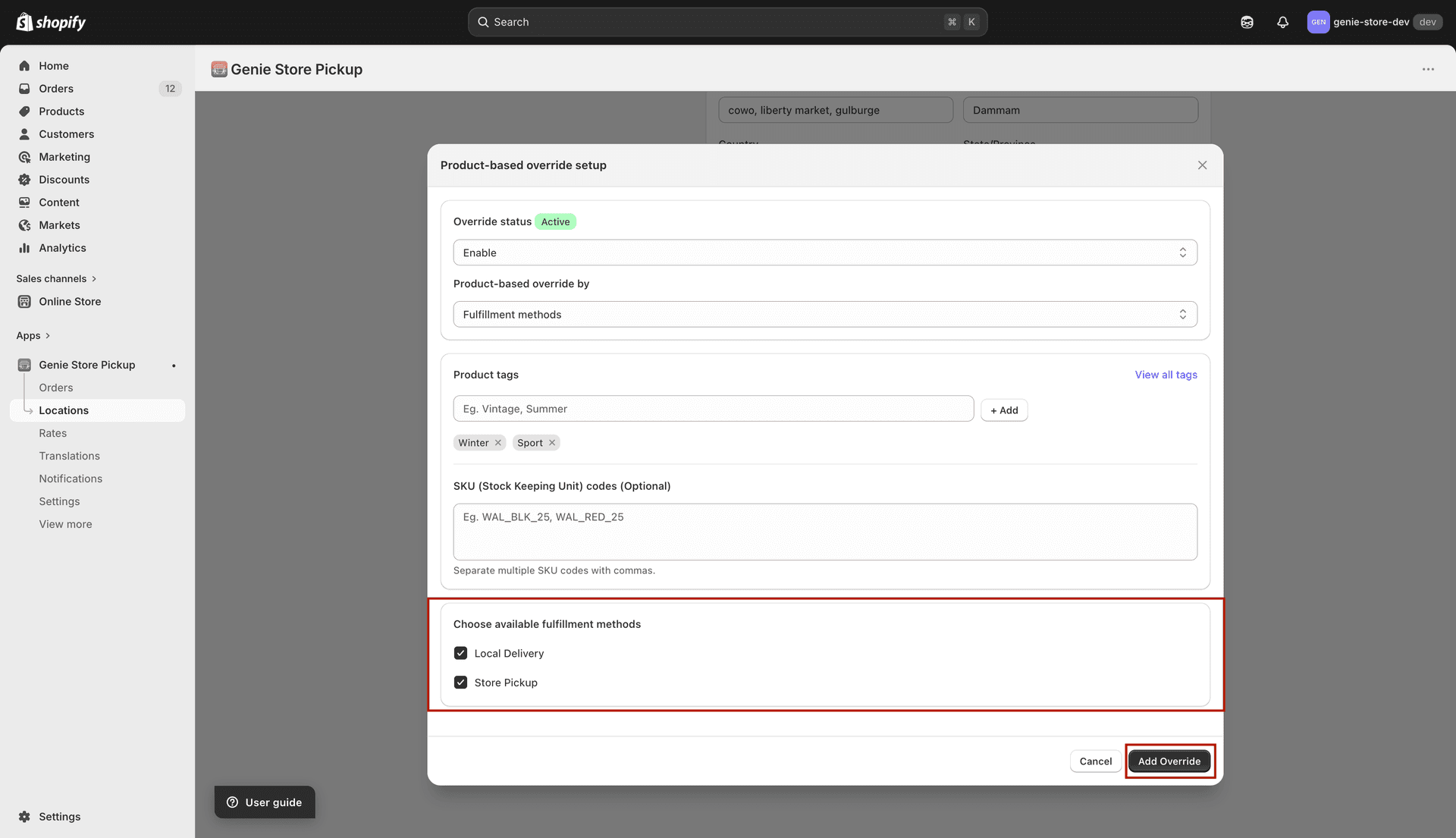
Checked options stay available for matching products; unchecked options are hidden for those carts
Save the override.
What's Next