
Turn standard shipping on or off and configure shipping slots and minimum order value.
Standard Shipping is managed from its own tab on the Locations page.
Open Standard Shipping
From the app sidebar, click "Locations".
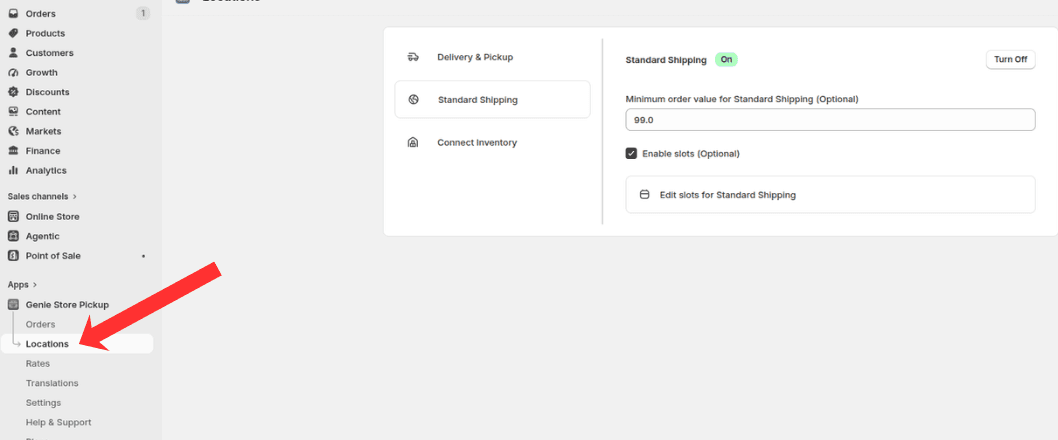
Open Locations, then select the Standard Shipping tab
Select the Standard Shipping tab in the sidebar.
Configure Standard Shipping
Turn Standard Shipping on or off.
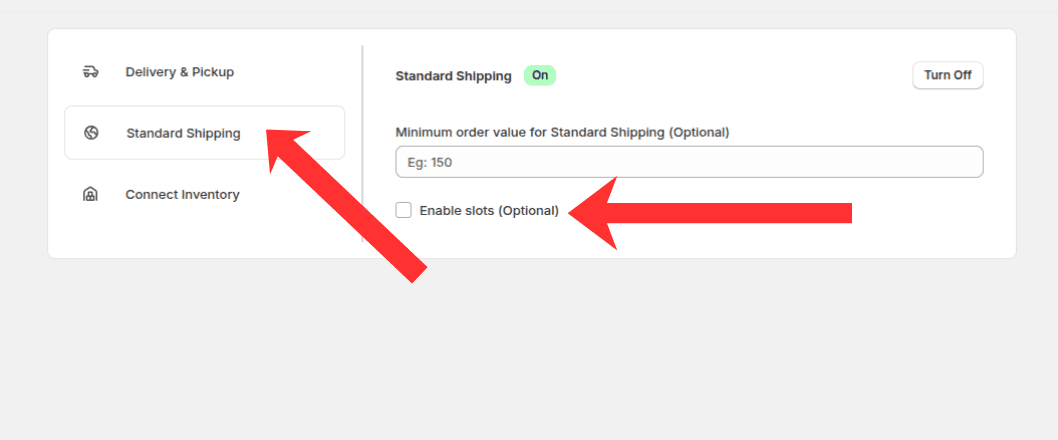
Turn Standard Shipping on, set a minimum order value, and enable slots if needed
Optionally set a minimum order value.
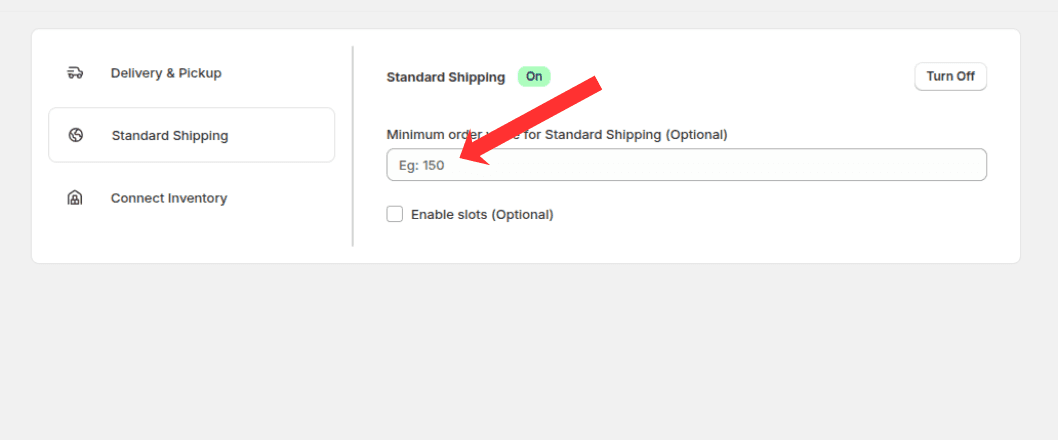
Set the minimum cart value required for Standard Shipping
Enable slots if shipping date or time selection is required.
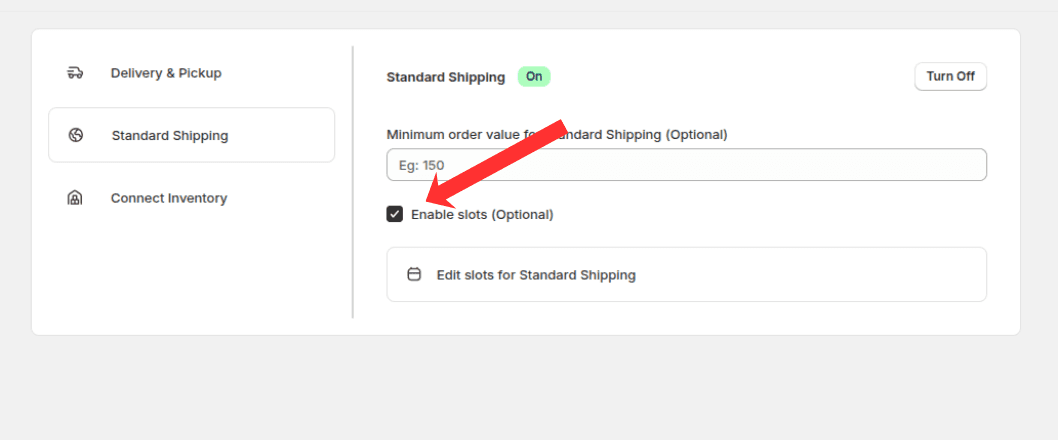
Check Enable slots to let customers choose a shipping date or time
Click "Edit slots" for Standard Shipping to configure shipping slots.
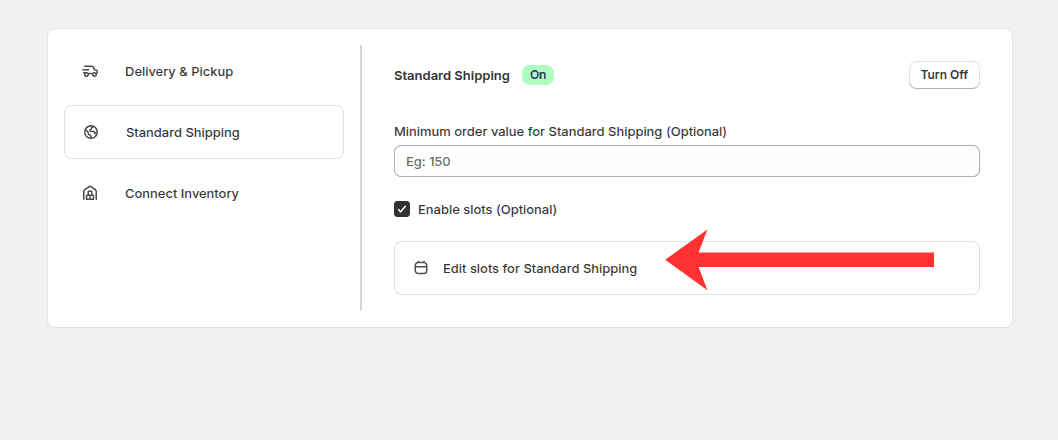
Click Edit slots for Standard Shipping to open the slot editor
Choose slot type, add time slots, or use Generate time slots to build them automatically.
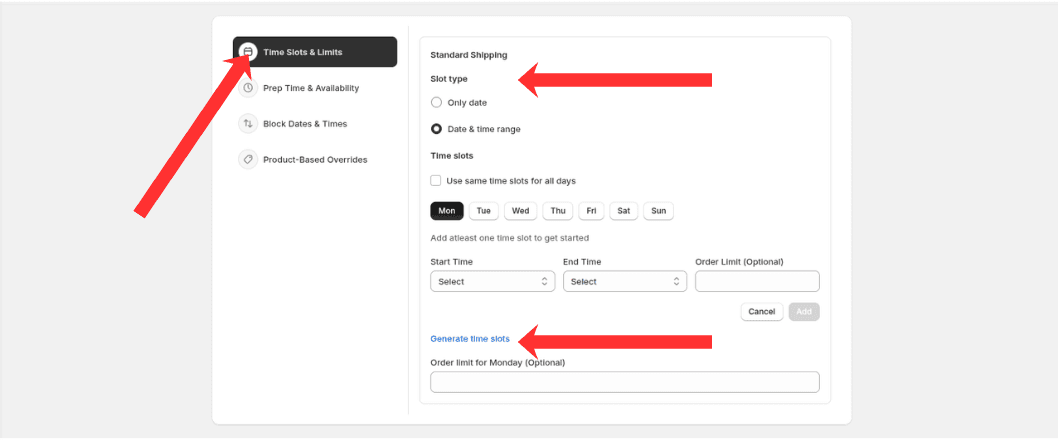
Pick Only date or Date & time range, then add slots manually or generate them
Block dates & times
Open Block Dates & Times in the sidebar and click "+ Add blackout slots" to block shipping dates.
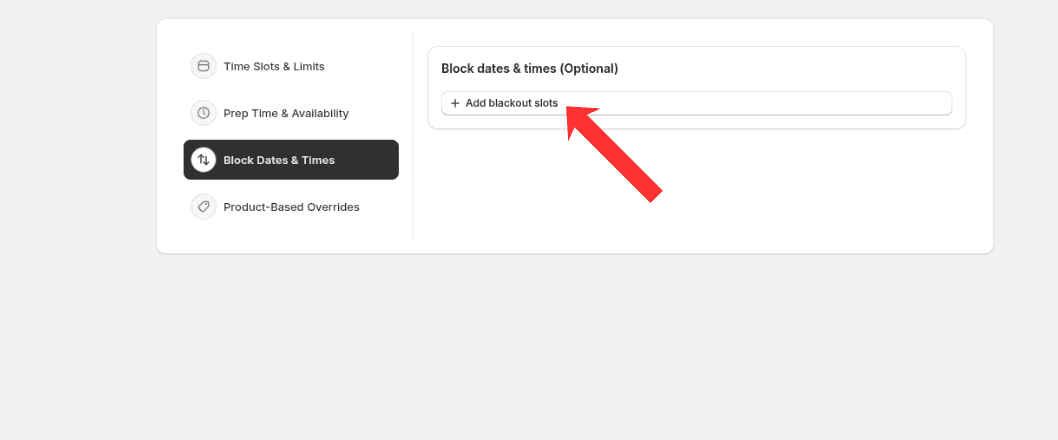
Add blackout dates or ranges when Standard Shipping should be unavailable
Product-based overrides
Open Product-Based Overrides in the sidebar and click "+ Add overrides" for product-specific shipping rules.
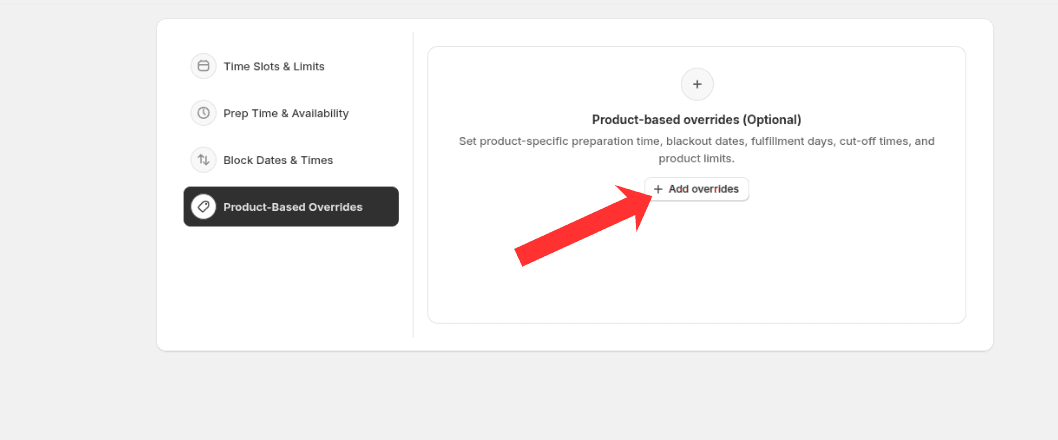
Set product-specific preparation time, blackout dates, fulfillment days, cut-off times, and product limits
What's Next