
Configure automatic pickup discounts and related discount codes.
Discount Settings lets you offer an automatic discount when customers choose store pickup.
Open Discount Settings
From the app sidebar, click "Settings".
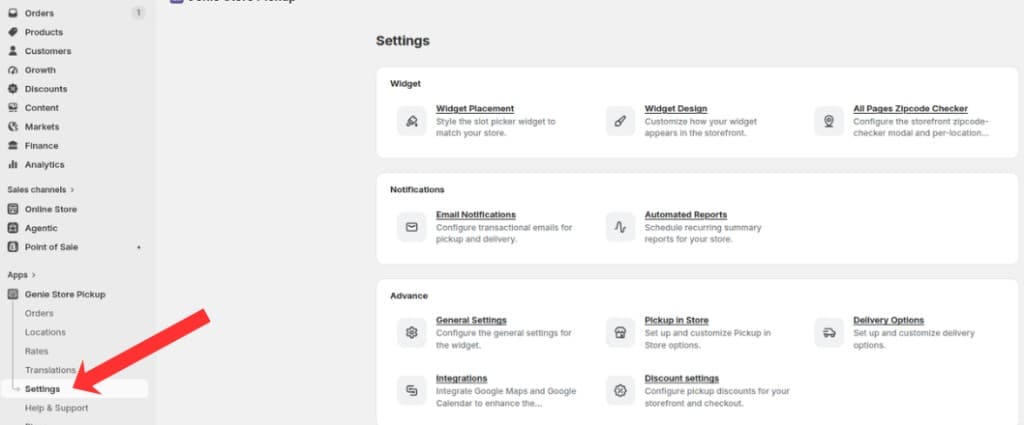
Open Settings from the app sidebar
On the Settings overview, open the Advanced group and click "Discount Settings".
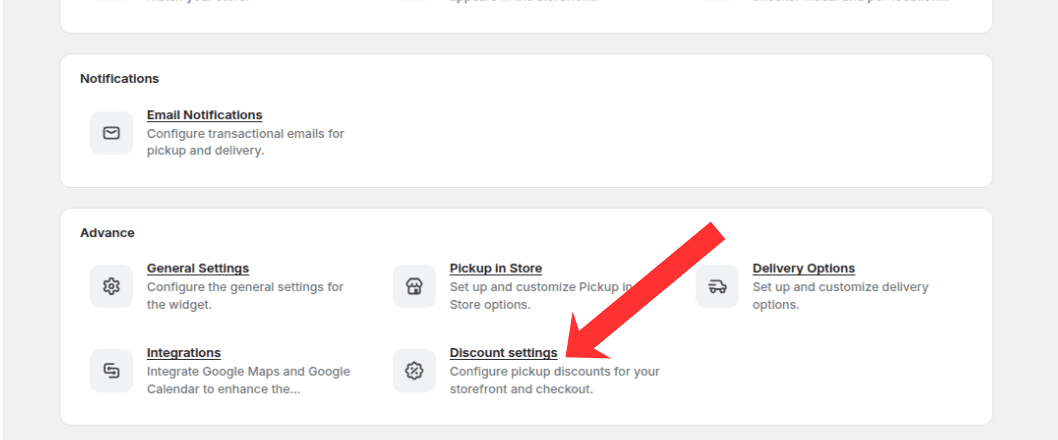
Open the Advanced group and click Discount Settings
Automatic pickup discount
Enable the automatic pickup discount.
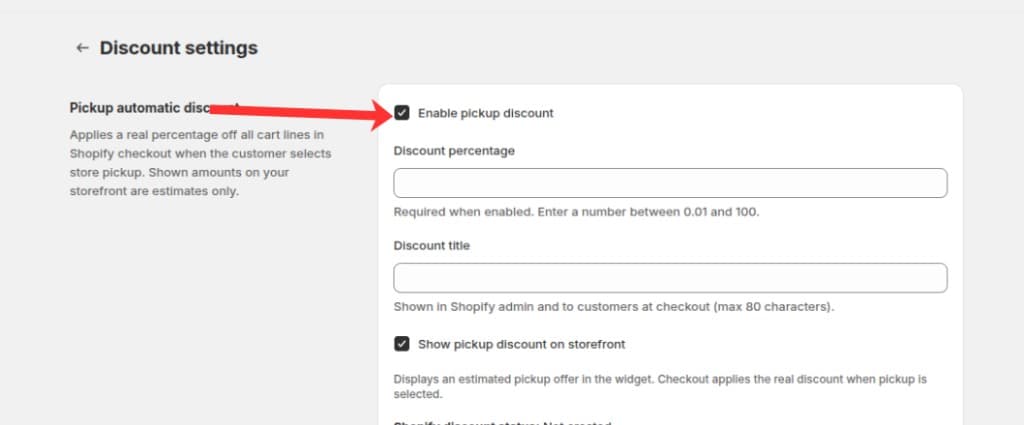
Check Enable pickup discount to turn on the automatic pickup discount
Set the discount percentage and title shown to customers.
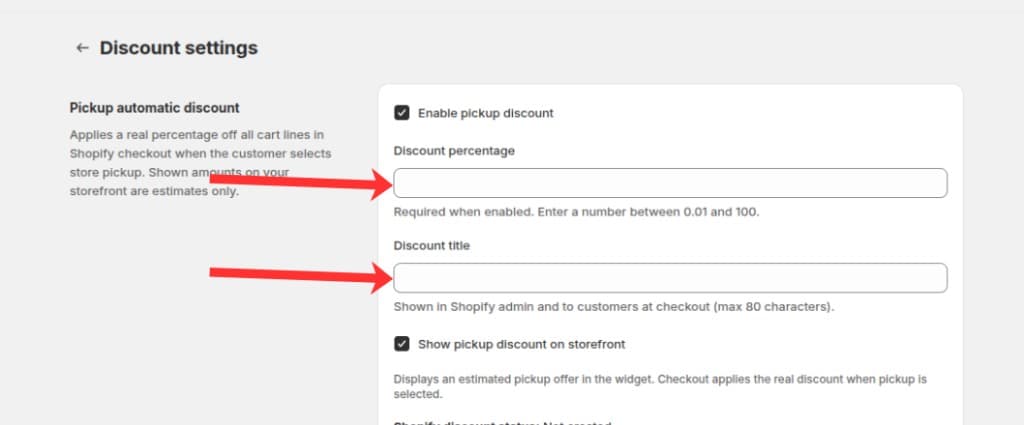
Enter the discount percentage (0.01–100) and a title shown at checkout
Choose whether to show the discount on the storefront.
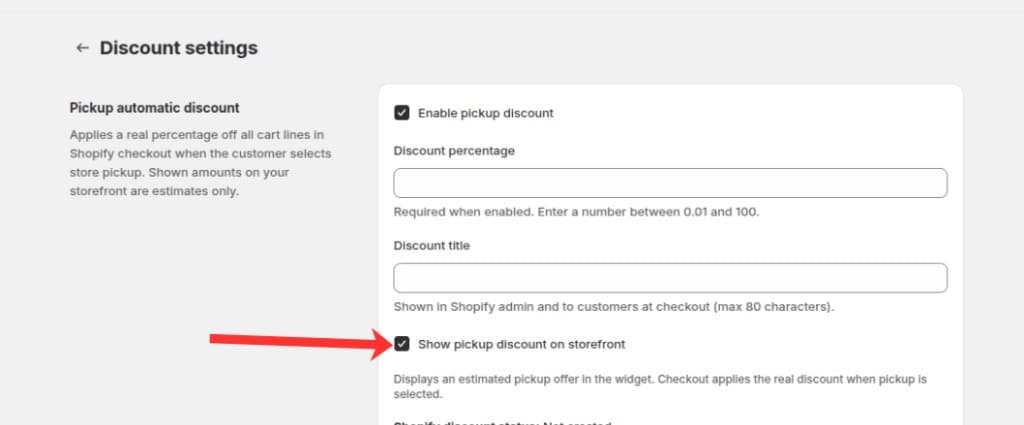
Check Show pickup discount on storefront to display an estimated offer in the widget
Click Save. The app syncs the discount with Shopify.
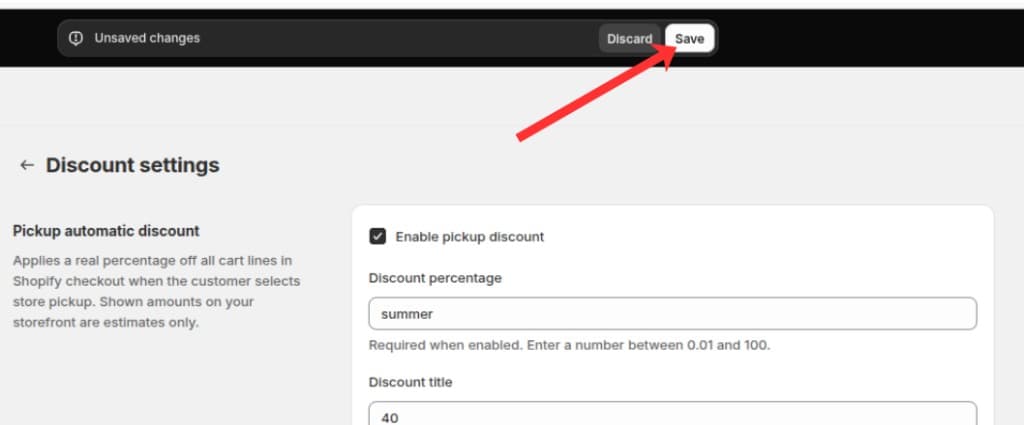
Click Save in the save bar to apply your discount settings
Check the sync status banner if the discount fails to create or update in Shopify.
What's Next