
Overview of customer email notifications for pickup, shipping, and delivery ready states.
Email Notifications let you customize the emails customers receive when their order is ready for pickup, shipping, or delivery.
Open Email Notifications
From the app sidebar, click "Settings".
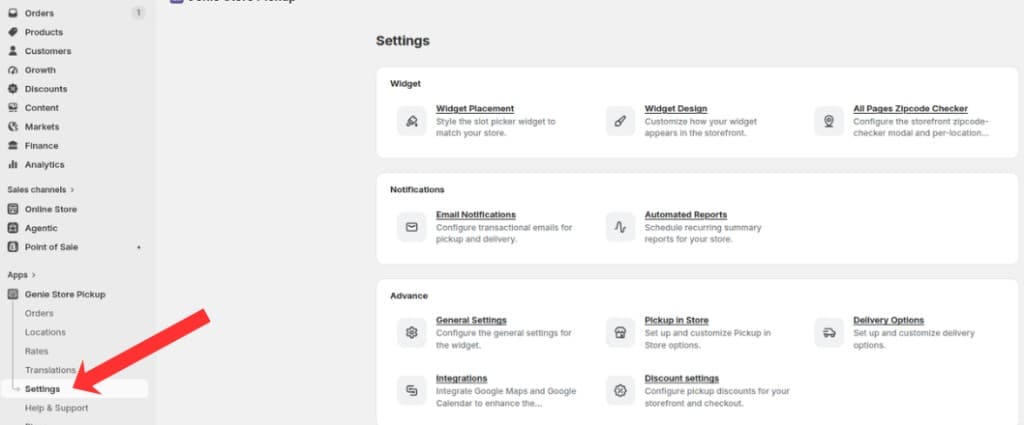
Open Settings from the app sidebar
On the Settings overview, open the Notifications group and click "Email Notifications".
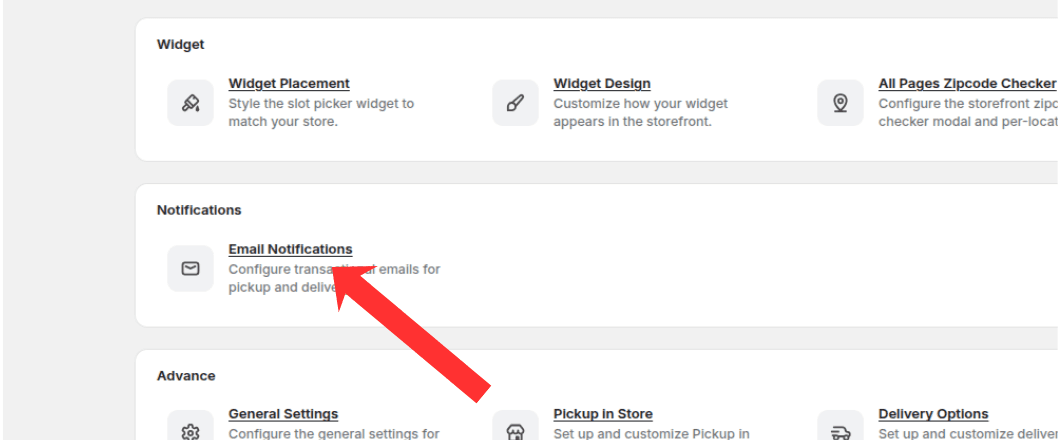
Open the Notifications group and click Email Notifications
Available templates
Ready for Pickup Email — sent when a pickup order is ready to collect.
Ready for Shipping Email — sent when a standard shipping order is ready to ship.
Ready for Delivery Email — sent when a local delivery order is out for delivery.
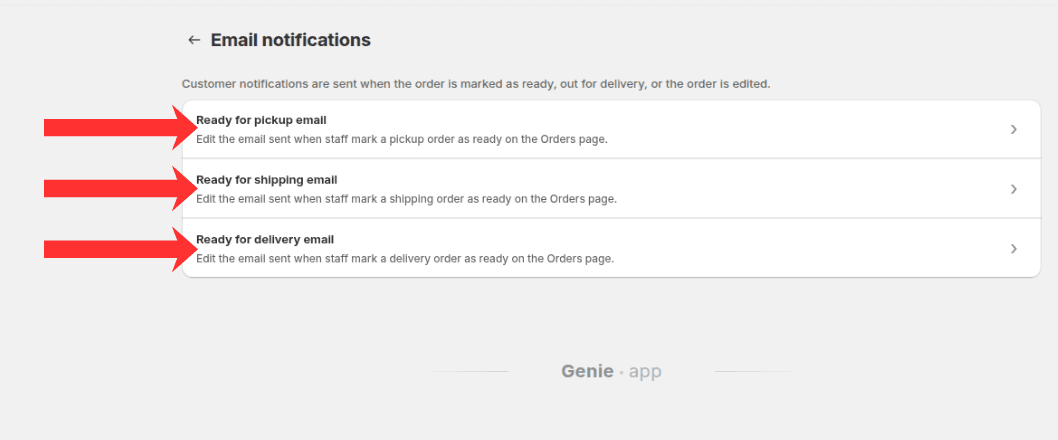
Choose a template to edit: Ready for pickup, shipping, or delivery email
Each template has its own subject line and body editor. Use the preview to see how the email will look before saving.