
Enable or disable the app, pickup, delivery, and shipping on your storefront.
The General Settings tab controls which fulfillment options customers see on your storefront. Your saved configuration in the admin is not deleted when you disable an option.
Open the General Settings tab
Go to Settings → General Settings.
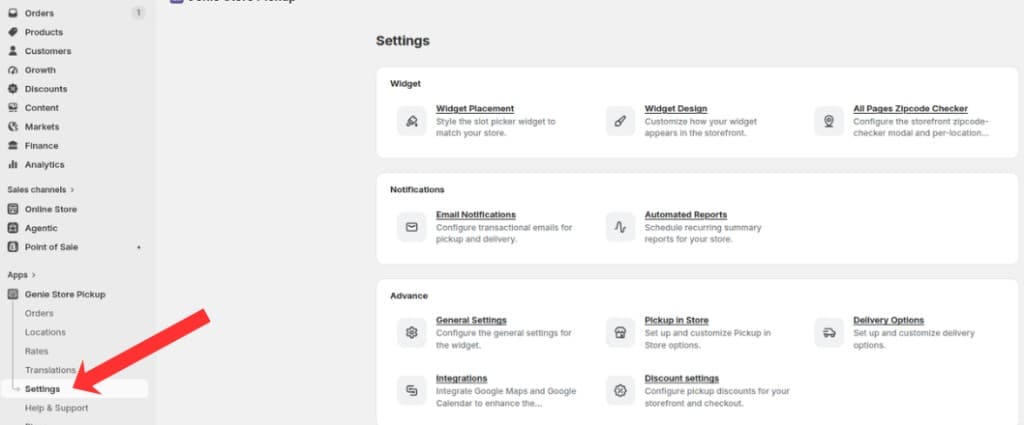
Open Settings from the app sidebar
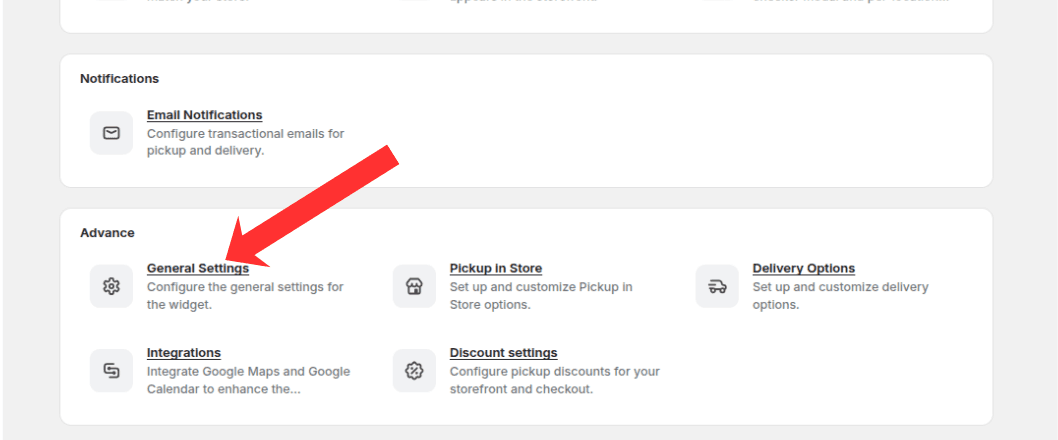
Open the Advanced group and click General Settings
On the General Settings page, make sure the "General Settings" tab is selected in the left sidebar.
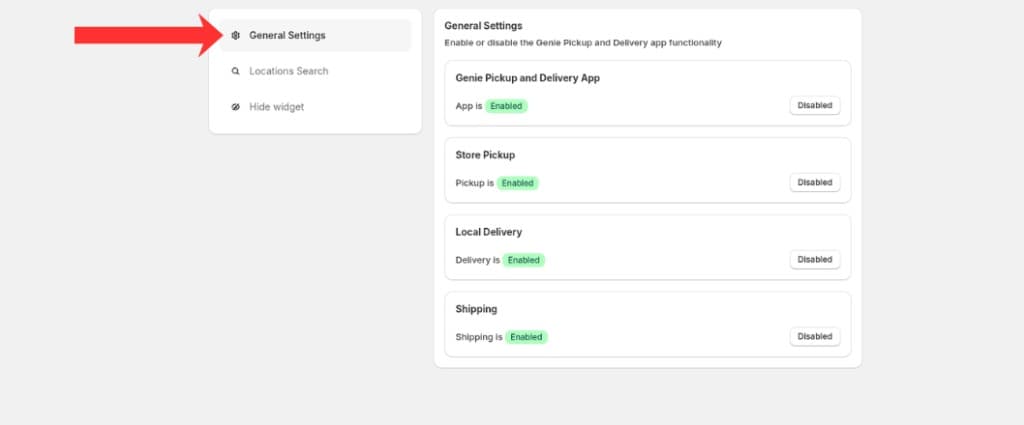
General Settings tab — enable or disable app, pickup, delivery, and shipping
App enable/disable
Toggle the Genie Pickup & Delivery App switch to show or hide the entire storefront widget.
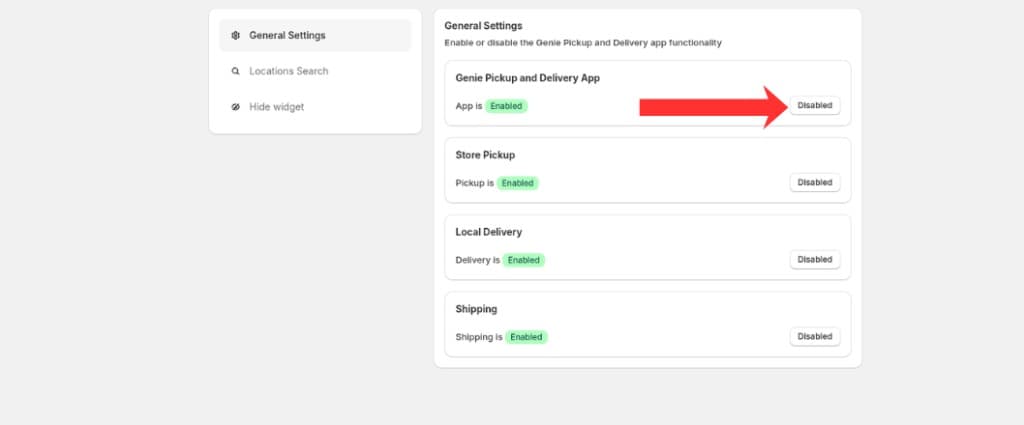
Toggle the app on or off to show or hide the entire storefront widget
Pickup enable/disable
Toggle Store Pickup to show or hide the pickup option. Your location settings in the admin are not deleted.
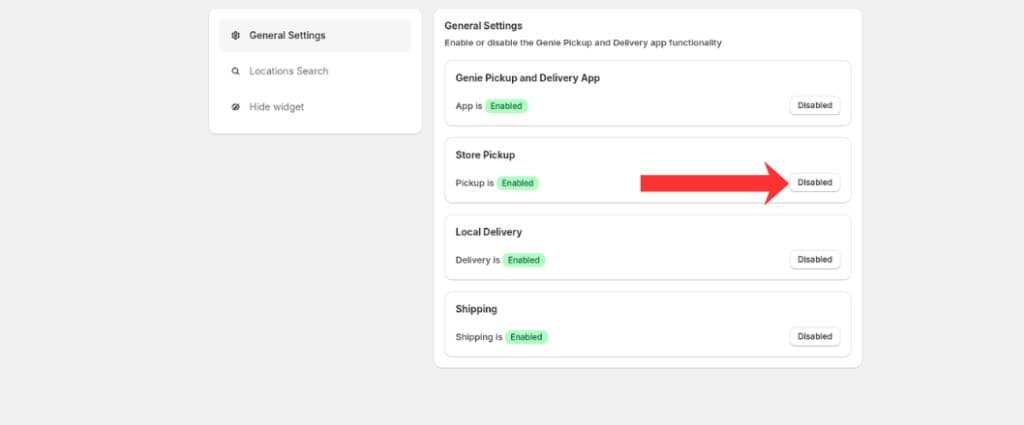
Toggle Store Pickup on or off without deleting your location settings
Delivery enable/disable
Toggle Local Delivery to show or hide the delivery option on the storefront.
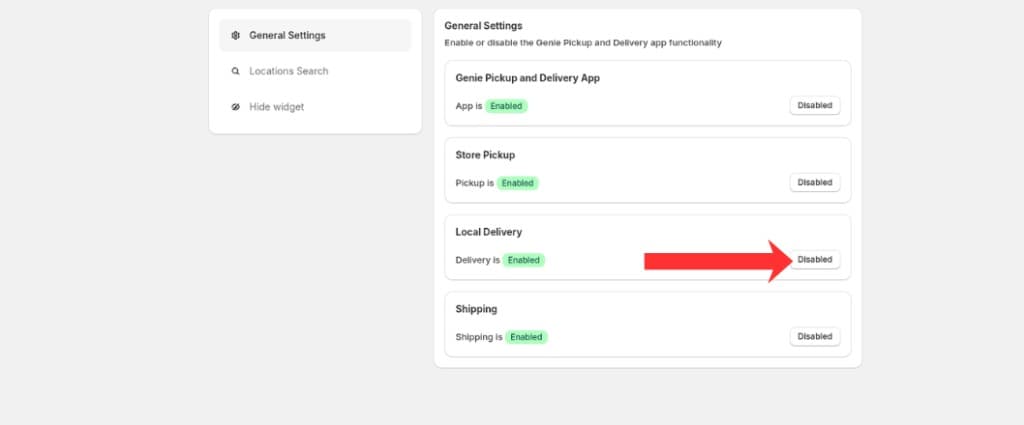
Toggle Local Delivery on or off on the storefront
Shipping settings
Toggle Shipping to show or hide the standard shipping option in the widget.
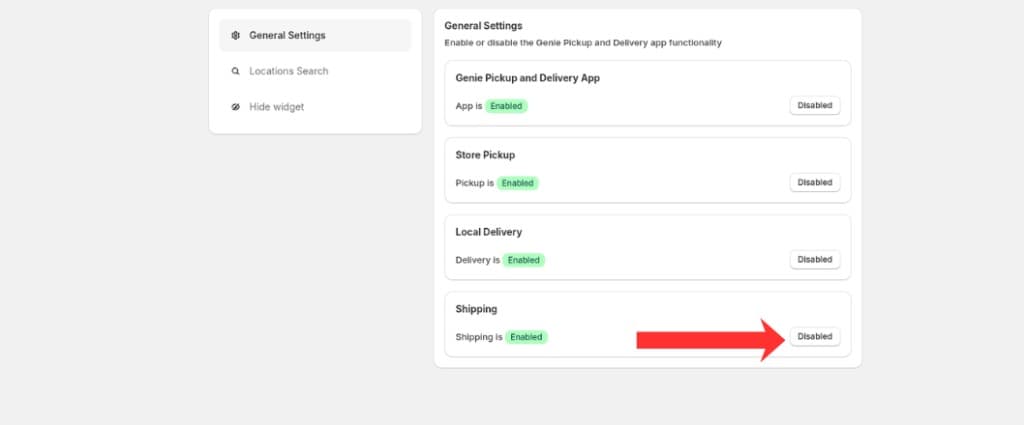
Toggle Shipping on or off in the storefront widget
Click Save in the save bar to apply changes.
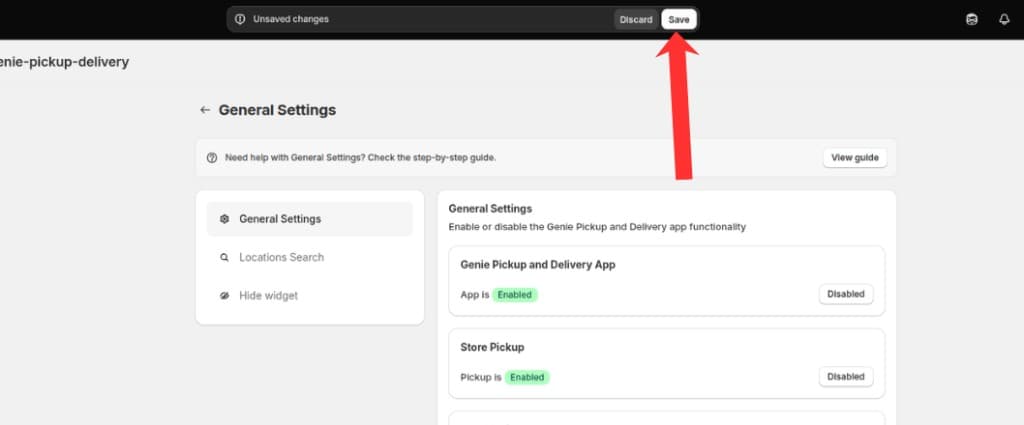
Click Save in the save bar to apply your changes
These toggles only affect what customers see — your saved configuration remains in the admin.
What's Next