
Configure mandatory pickup rules, time settings, security codes, discounts, and required customer fields.
Pickup in Store has three tabs: General Settings, Time Settings, and Customer Information.
Open Pickup in Store
From the app sidebar, click "Settings".
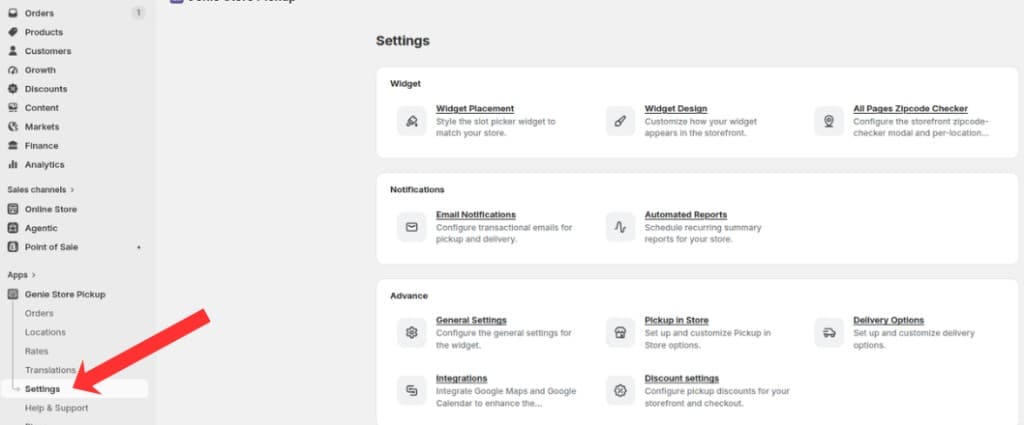
Open Settings from the app sidebar
On the Settings overview, open the Advanced group and click "Pickup in Store".
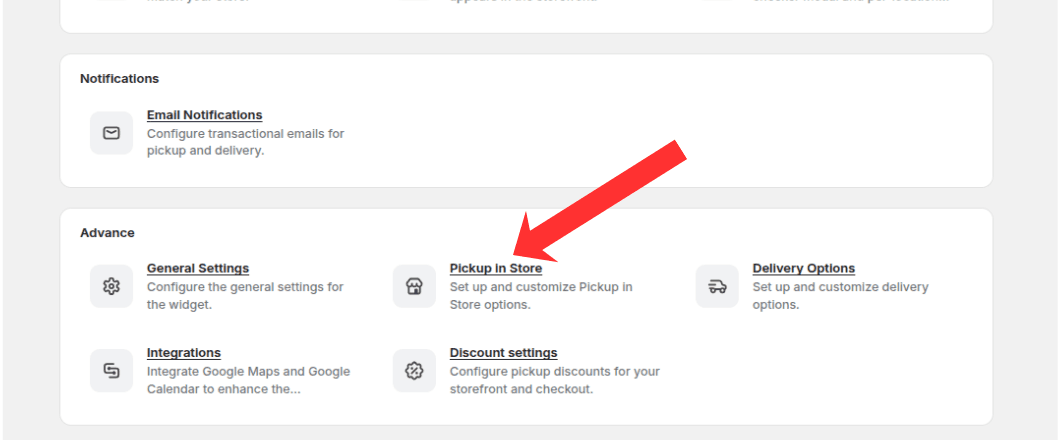
Open the Advanced group and click Pickup in Store
General Settings tab
Enable Make Pickup Mandatory so customers must select a pickup date and time.
Optionally enable Make Pickup Mandatory Based on Tags and enter the product tags that trigger mandatory pickup.
Enable Display Pickup Information to show pickup date and time on order confirmations.
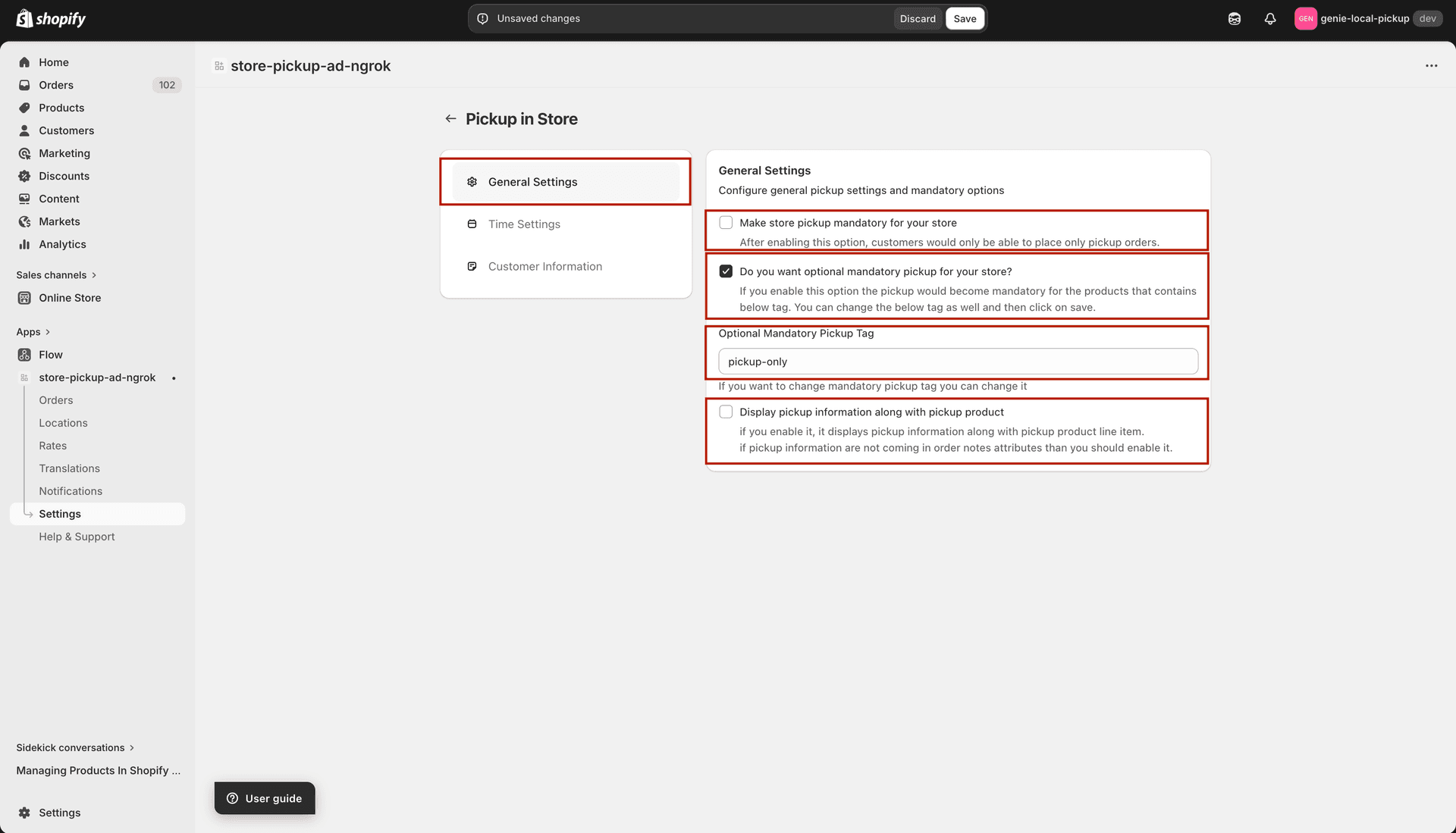
Control when pickup is mandatory and whether pickup details appear on orders
Time Settings tab
Choose how pickup time slots are formatted (range or individual times).
Enable pickup security codes for in-store verification.
Configure discount codes, time interval between slots, and 12- or 24-hour time format.
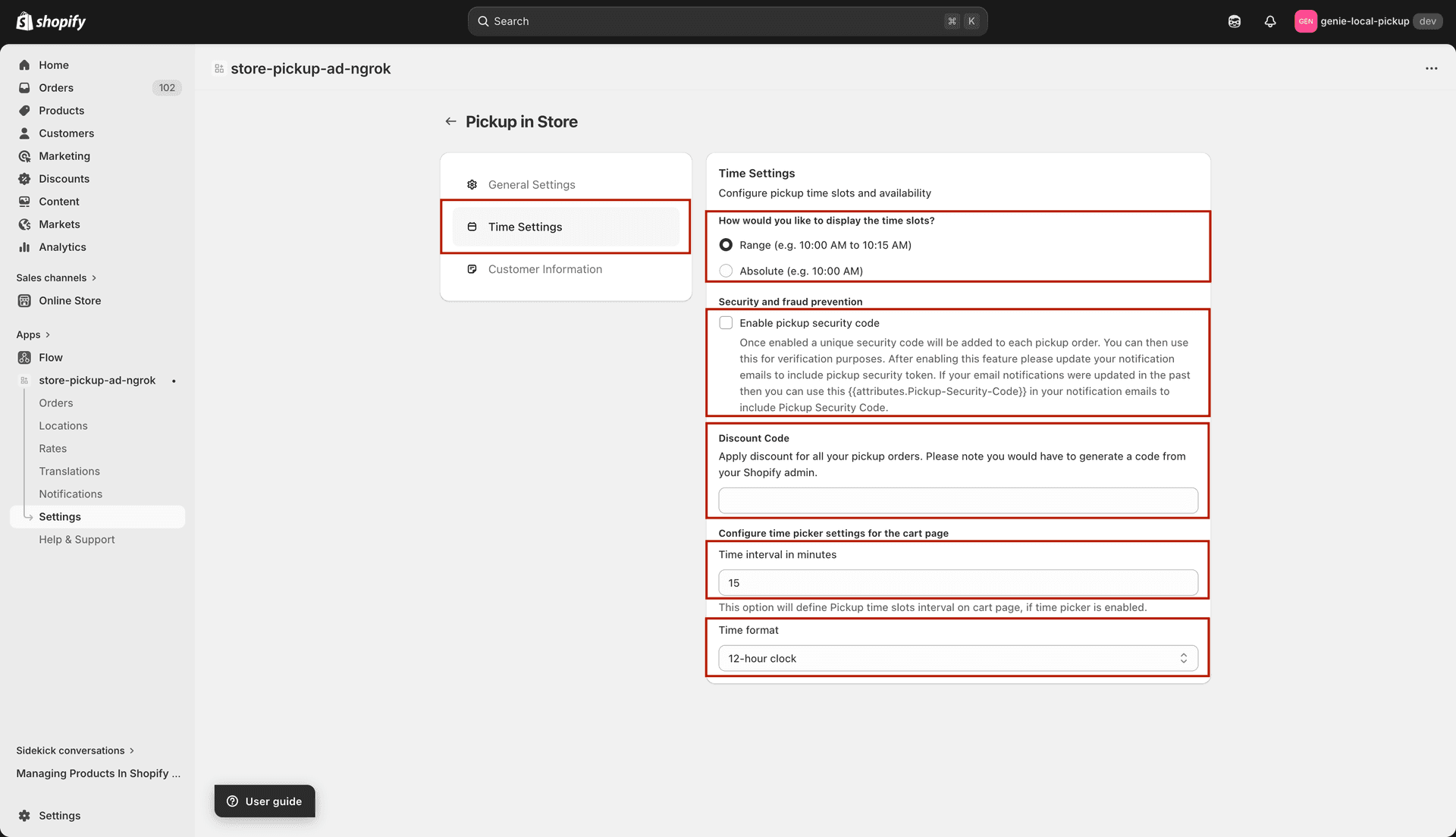
Configure time slot display, security codes, and discount codes for pickup
Customer Information tab
Require email, name, and/or phone number when customers choose store pickup.
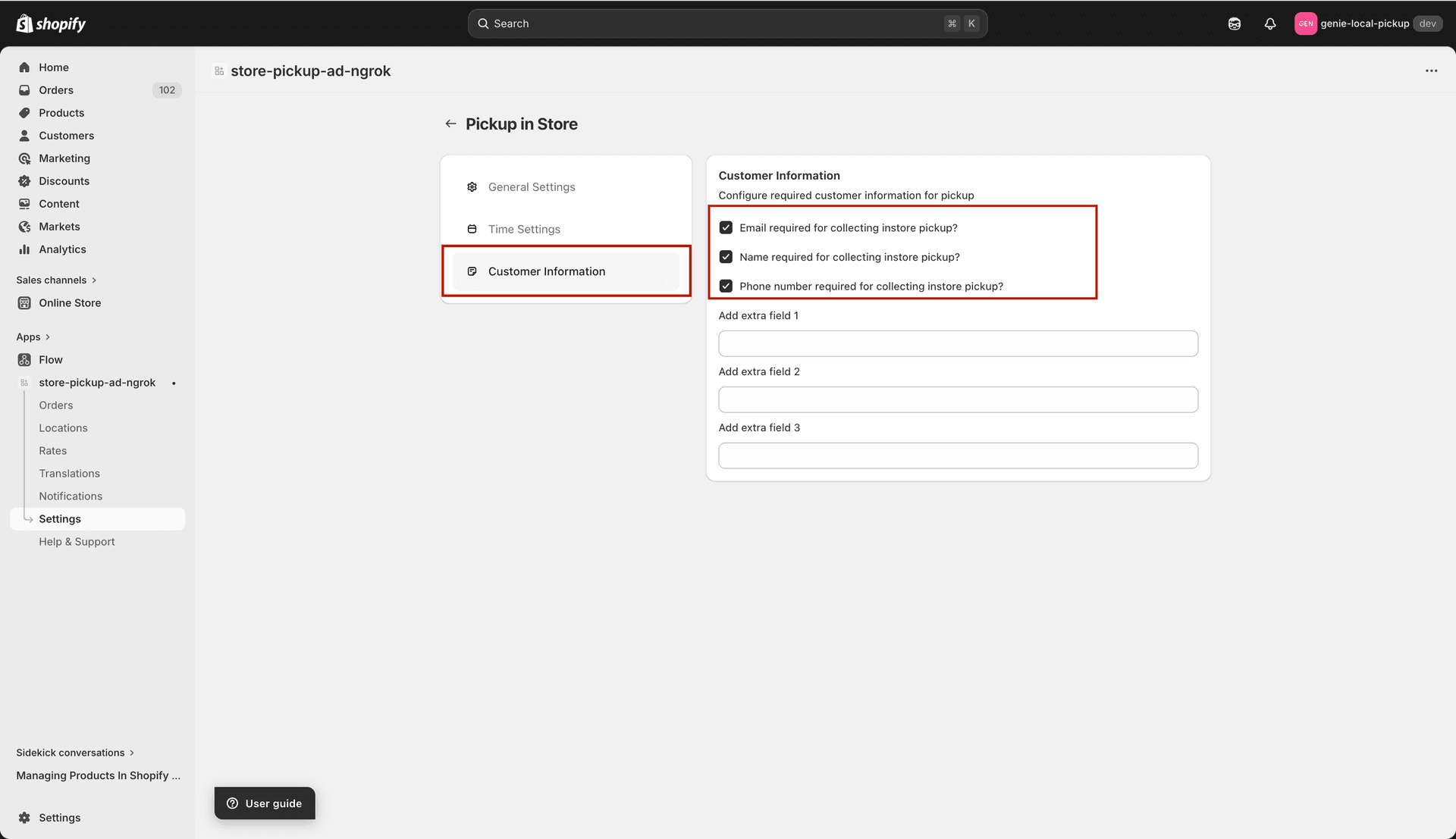
Choose which customer contact details are required for pickup orders
Click Save in the save bar to apply changes.
What's Next