
How to enable booking emails
Last updated: September 15, 2026
Turn on customer emails, set the from name and reply-to, and send a copy to your admin.
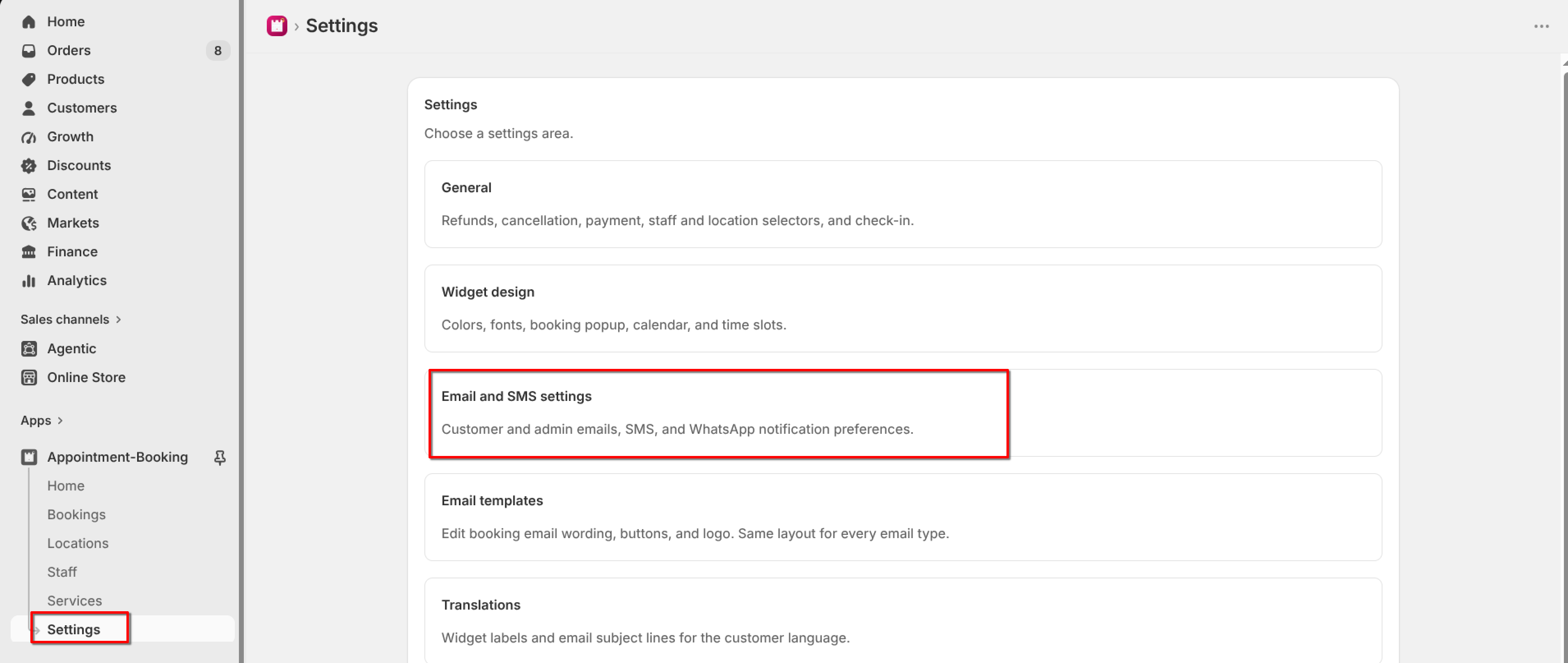
Open Settings → Email and SMS settings. Booking emails send from your verified domain. Customers receive mail at their own address; set Reply-to so they can reach you.
1
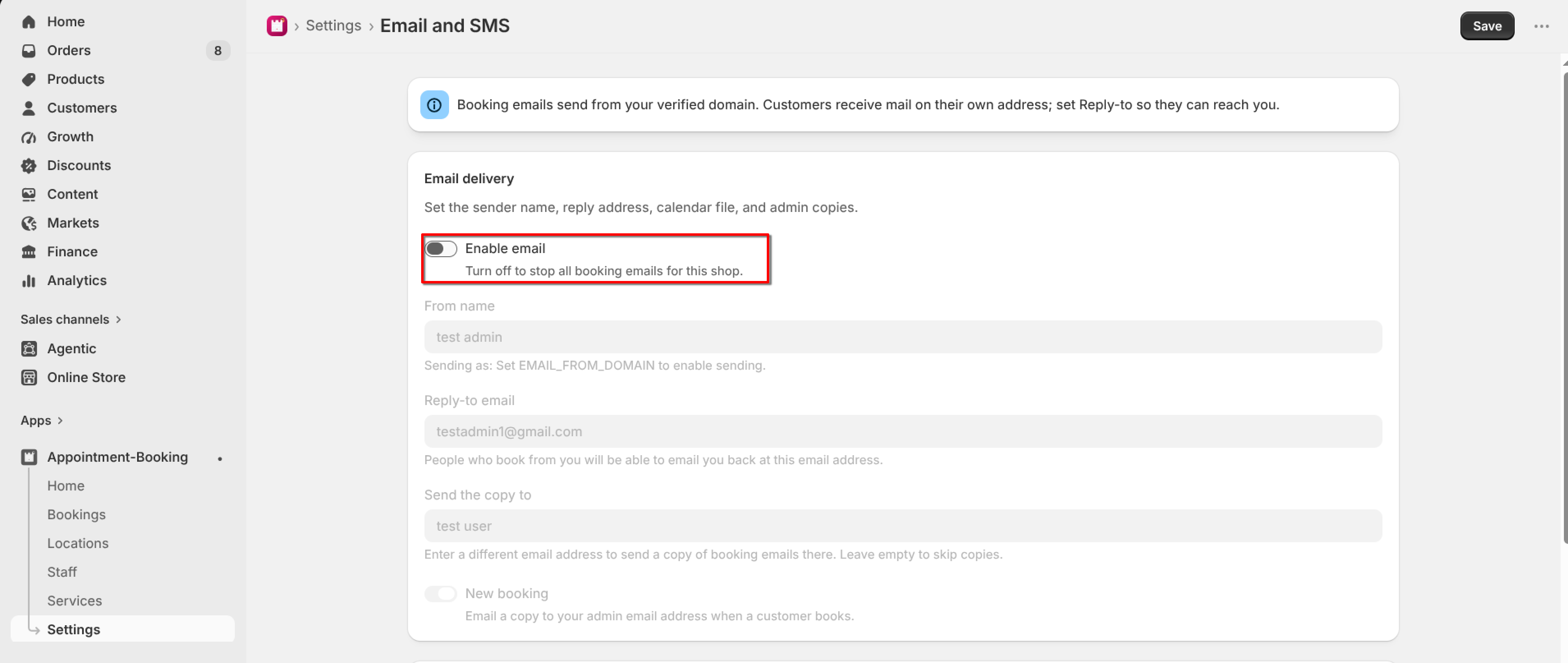
Turn on "Enable email". Turn this off to stop all booking emails for the shop.
2
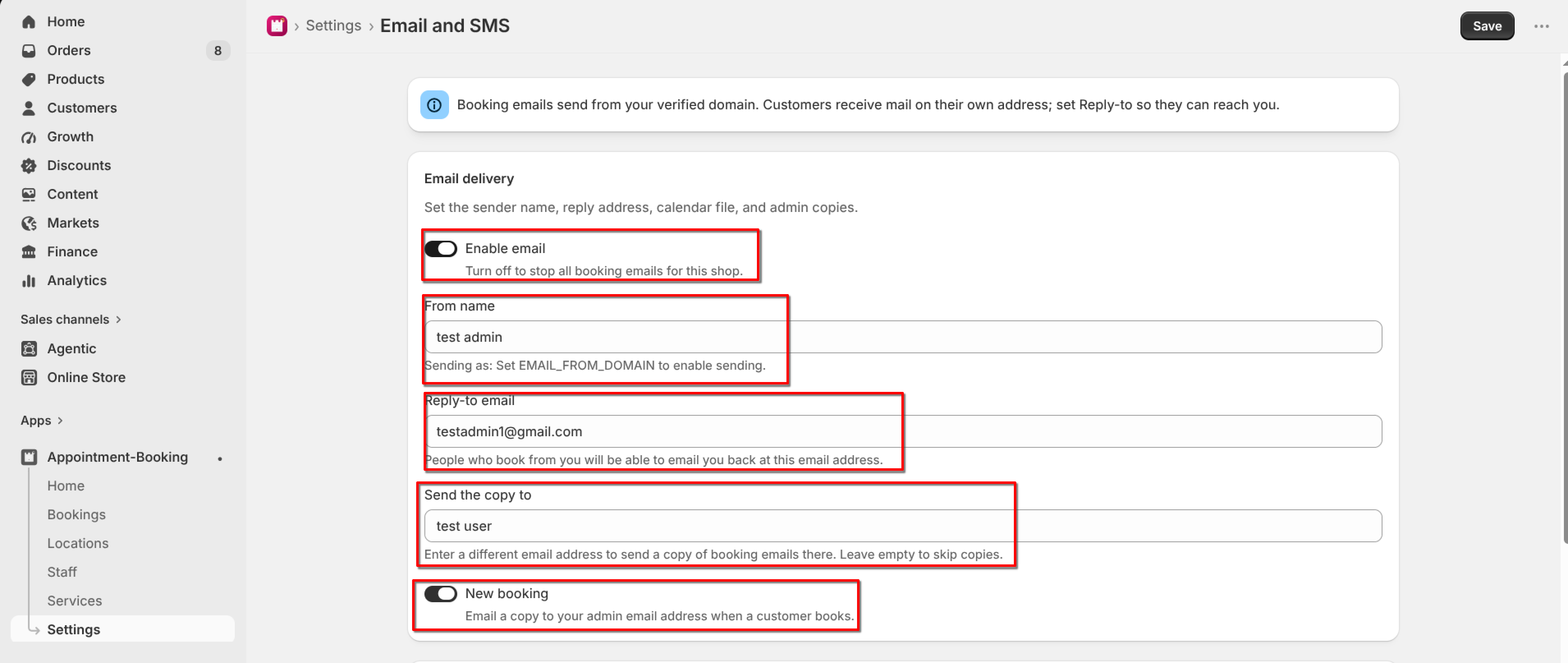
Set From name (the display name on emails).
3
Set Reply-to email so customers can reply to you.
4
Optionally set "Send the copy to" if you want a copy of booking emails at another address. Leave empty to skip copies.
5
Turn on "New booking" to email a copy to your admin address when a customer books.
6
Click Save.
To change the wording of those emails, go to Settings → Email templates.