
How can I enable date and time picker for pickup?
Last updated: April 10, 2026
Turn on the date and time picker for a specific pickup location.
1
In the Locations tab, click the pickup location for which you want to enable the date and time picker.

Click the pickup location to open its settings
2
Scroll down to the "Date and Time Settings" section.
3
From here, you can enable the date and time picker.
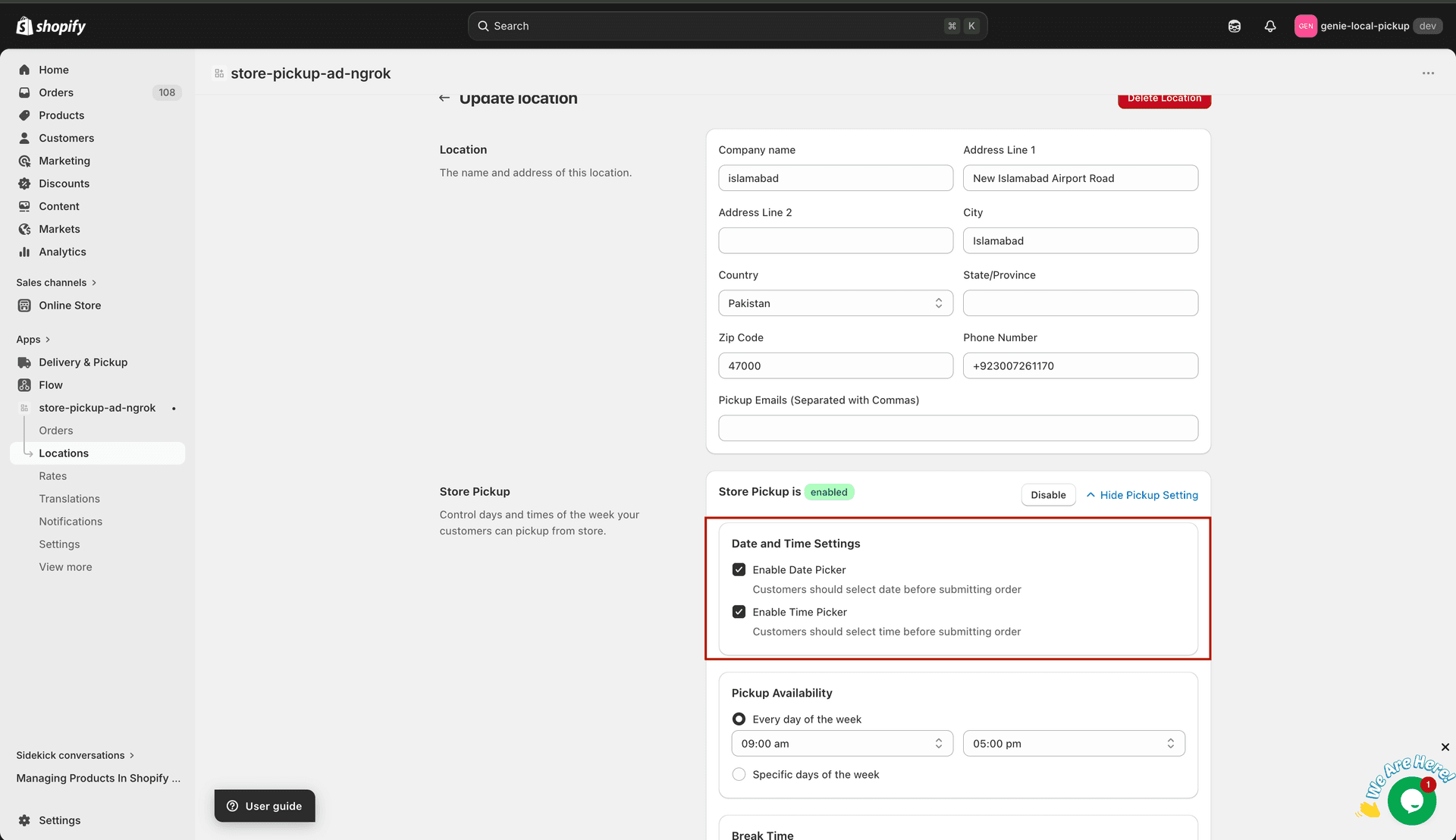
Enable the date and time picker from this section