
How can I set specific date and time for pickup?
Last updated: April 10, 2026
Configure pickup availability to specific days of the week and set opening and closing times.
1
In the Locations tab, click the pickup location for which you want to set specific date and time.

Click the pickup location to open its settings
2
Scroll down to the "Pickup Availability" section.
3
From the Pickup Availability section, choose either "Every day of the week" or "Specific days of the week".
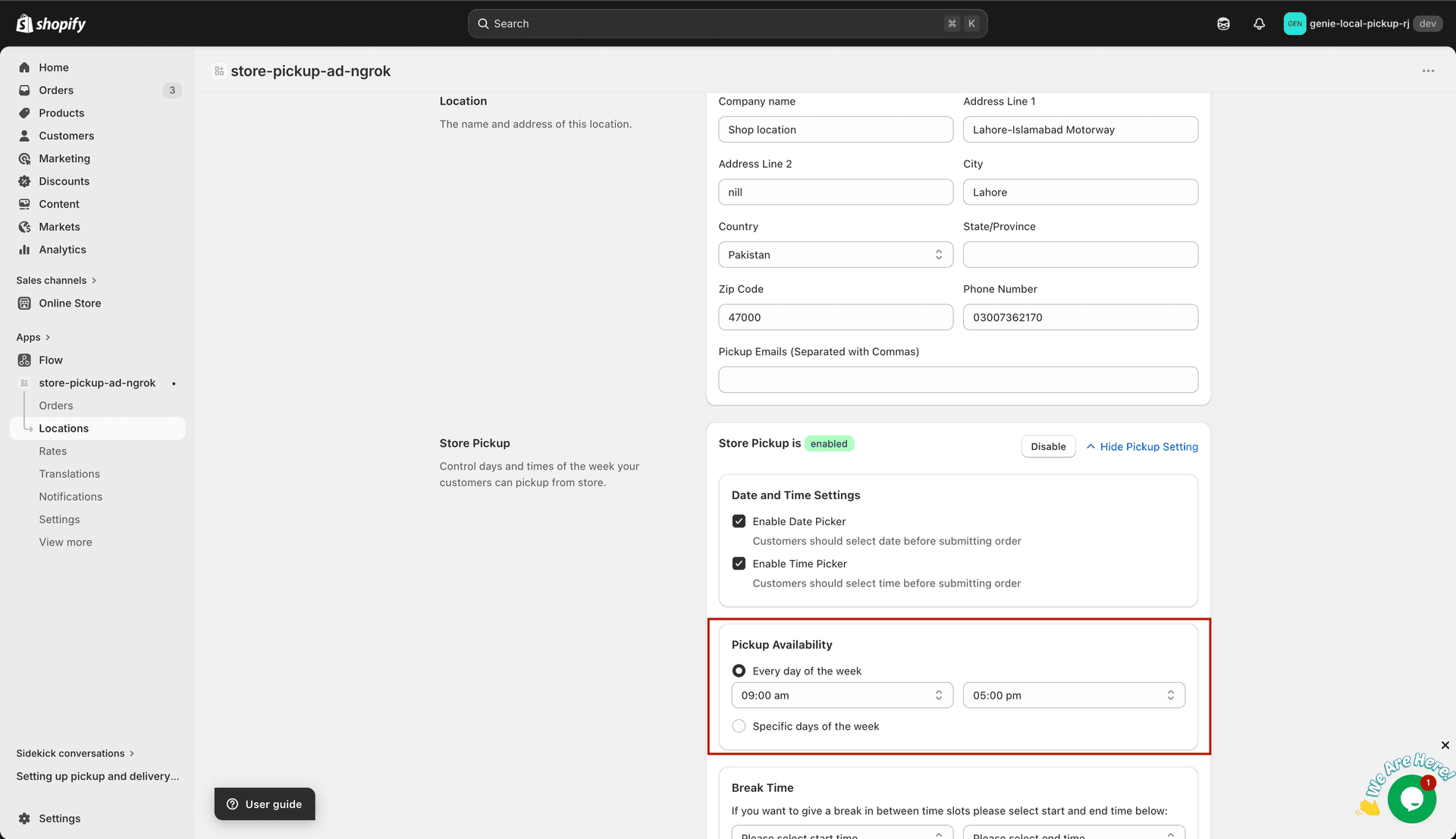
Choose between every day or specific days of the week
4
If you choose "Specific days of the week", a set of checkboxes will appear — select the days when pickup is available.
5
Set the opening and closing time for pickup on each day.
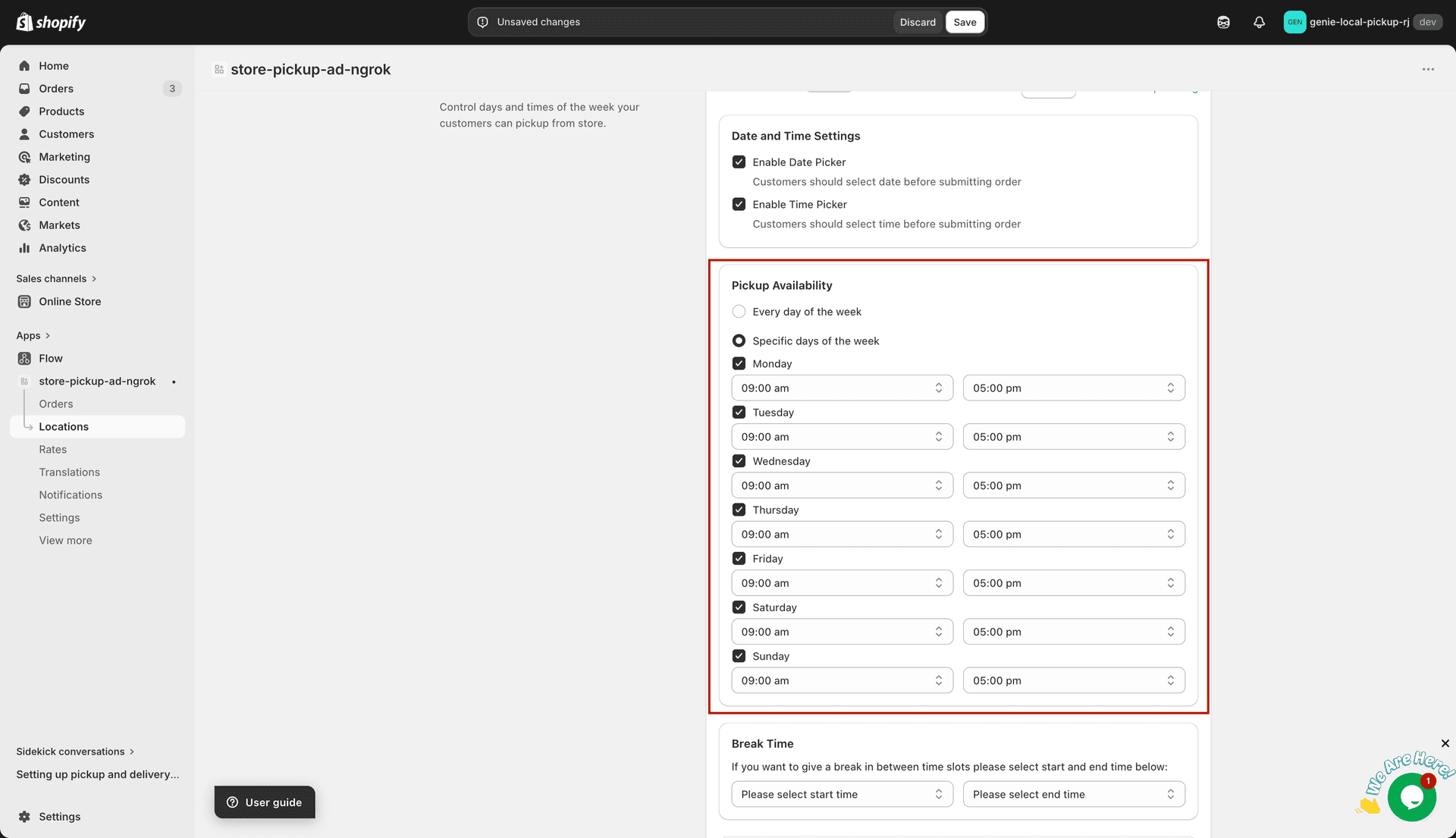
Set the opening and closing times for each pickup day
What's Next