
How to add a delivery zone
Last updated: March 1, 2026
Define a delivery area by zipcode so local customers can book a delivery date at checkout.
Delivery zones let you offer local delivery to customers within a set distance from your store. Customers outside the zone will not see the delivery option.
Enable delivery on a location
Go to Locations and open an existing location (or create a new one).
Click the "Delivery" tab inside the location form.
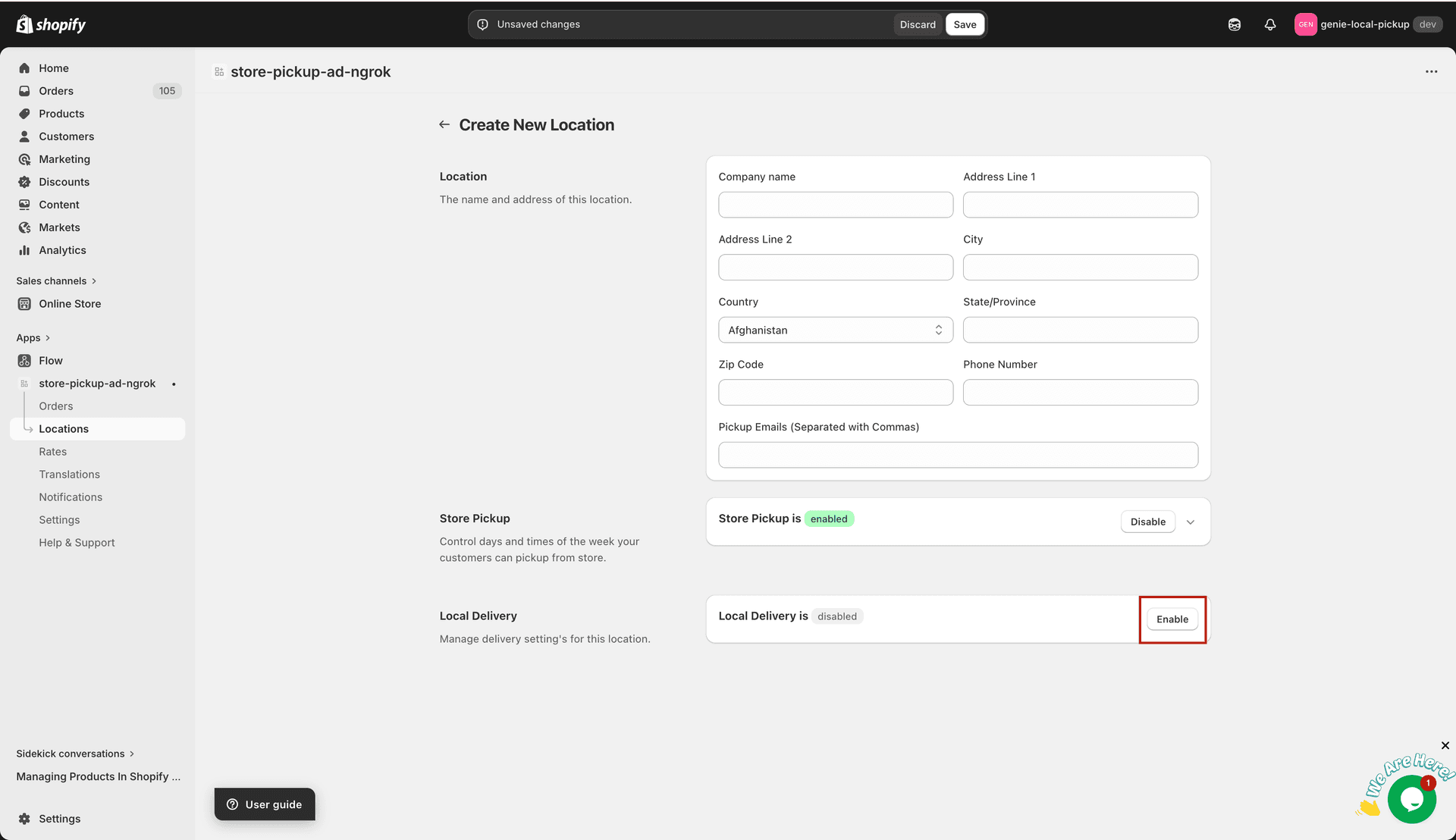
Switch to the Delivery tab to configure delivery for this location
Toggle "Enable Delivery" to ON.
Set the delivery zone
Enter the delivery zipcode for this location.
Add available delivery days and time slots, the same way you set them for pickup.
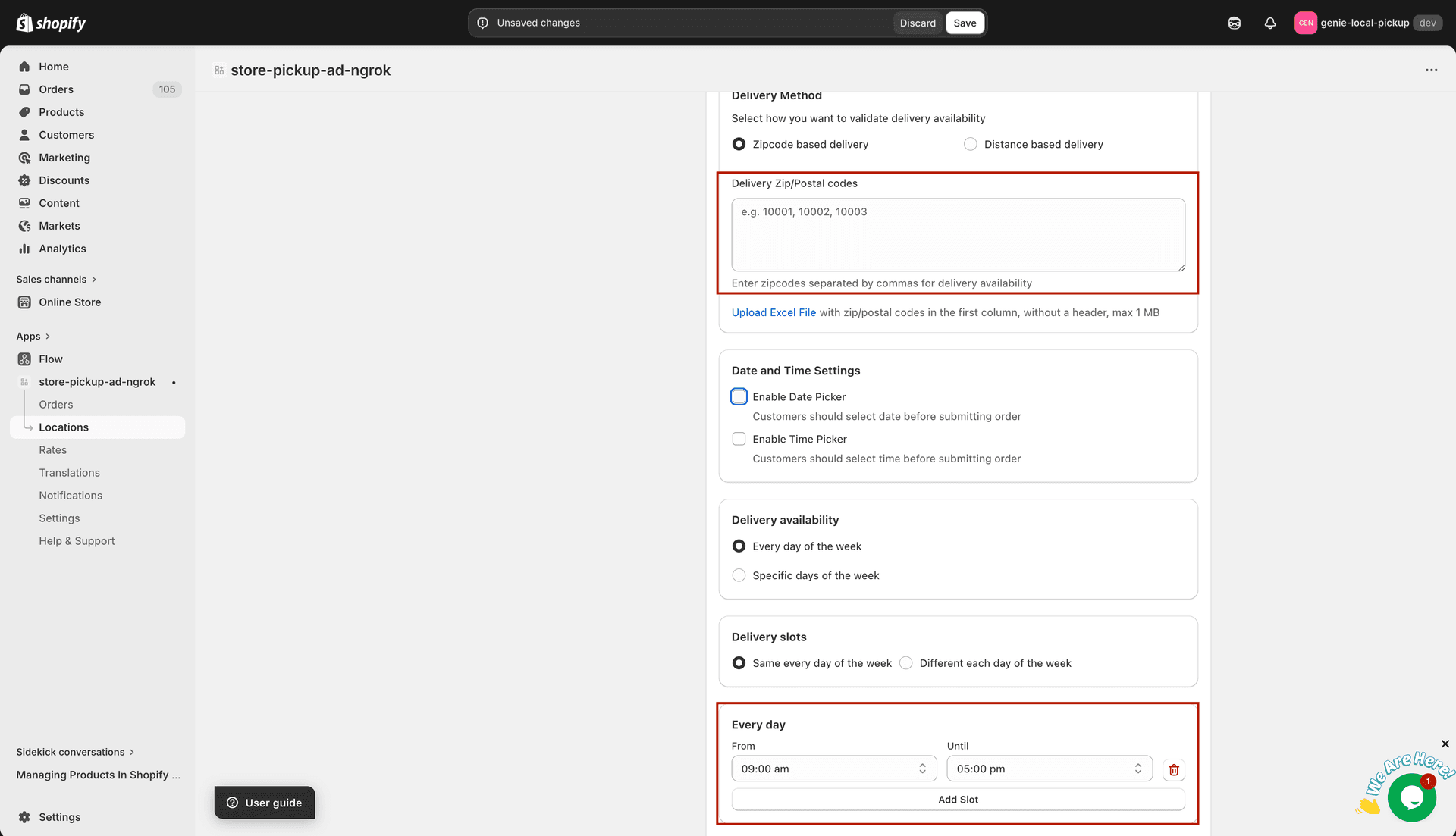
Set the zipcode and delivery time slots
Set the minimum lead time (preparation time before the earliest delivery slot).
Click "Save".
The delivery option only appears at checkout if the customer's shipping address falls within your delivery zipcode.