
App overview & how it works
Last updated: March 1, 2026
Understand what the app does and how pickup and delivery works end-to-end in your store.
Store Pickup by Genie Apps adds a date and time picker to your Shopify cart page. Customers can choose to pick up their order from one of your store locations, request a local delivery, or use standard shipping — all in one seamless widget.
Three fulfillment options
Store Pickup — customer selects a pickup location, date, and time slot to collect their order in person.
Local Delivery — customer enters their address; the app checks if they are within your delivery zipcode and shows available delivery dates and time slots.
Standard Shipping — customer uses normal Shopify shipping. The app widget is hidden for this option.
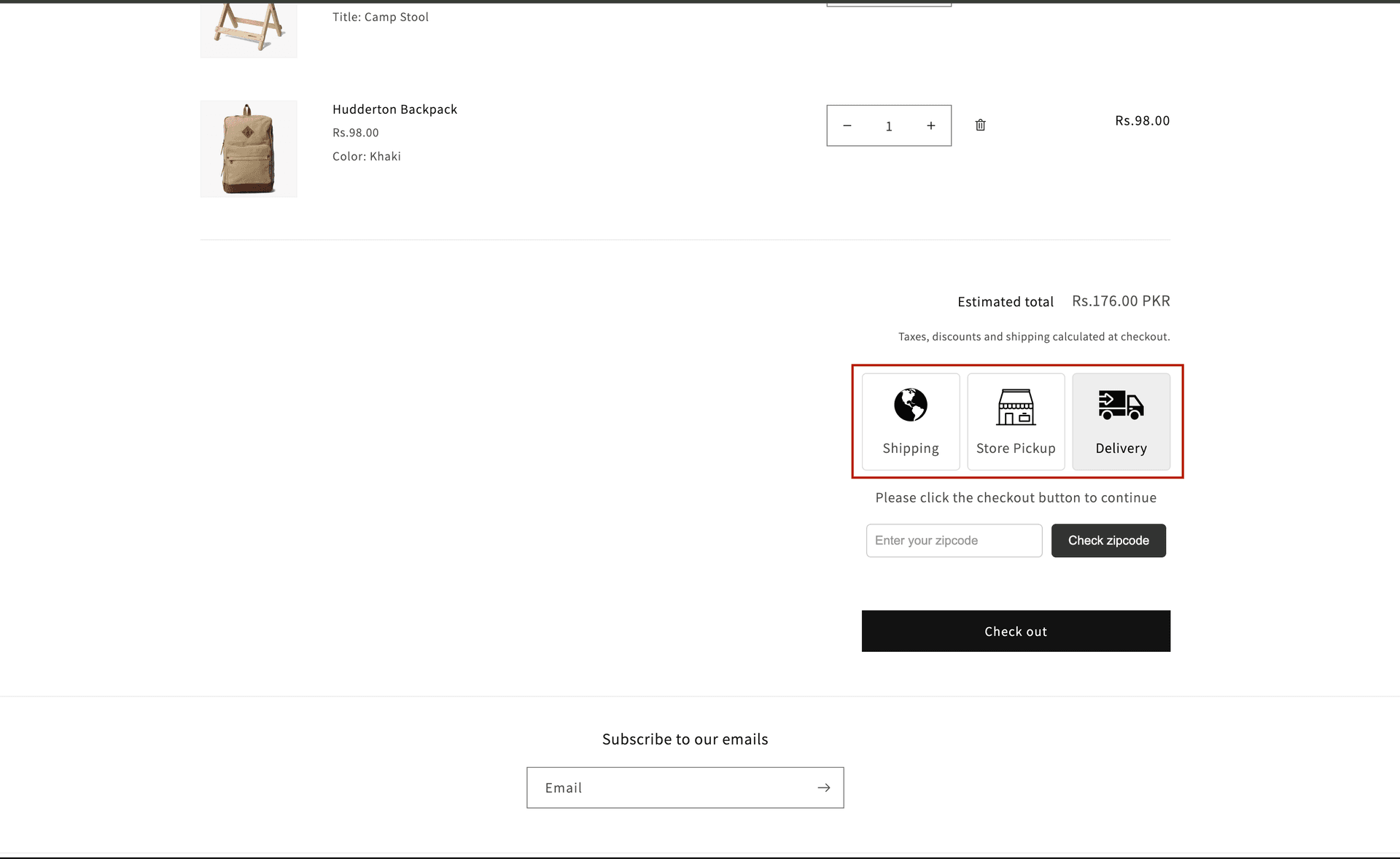
The date picker widget as it appears on your cart page
What happens after an order is placed
When a customer places an order, their chosen date, time slot, and location are saved directly on the Shopify order. You can view and manage all pickup and delivery orders from the Orders page inside the app, including a calendar view.
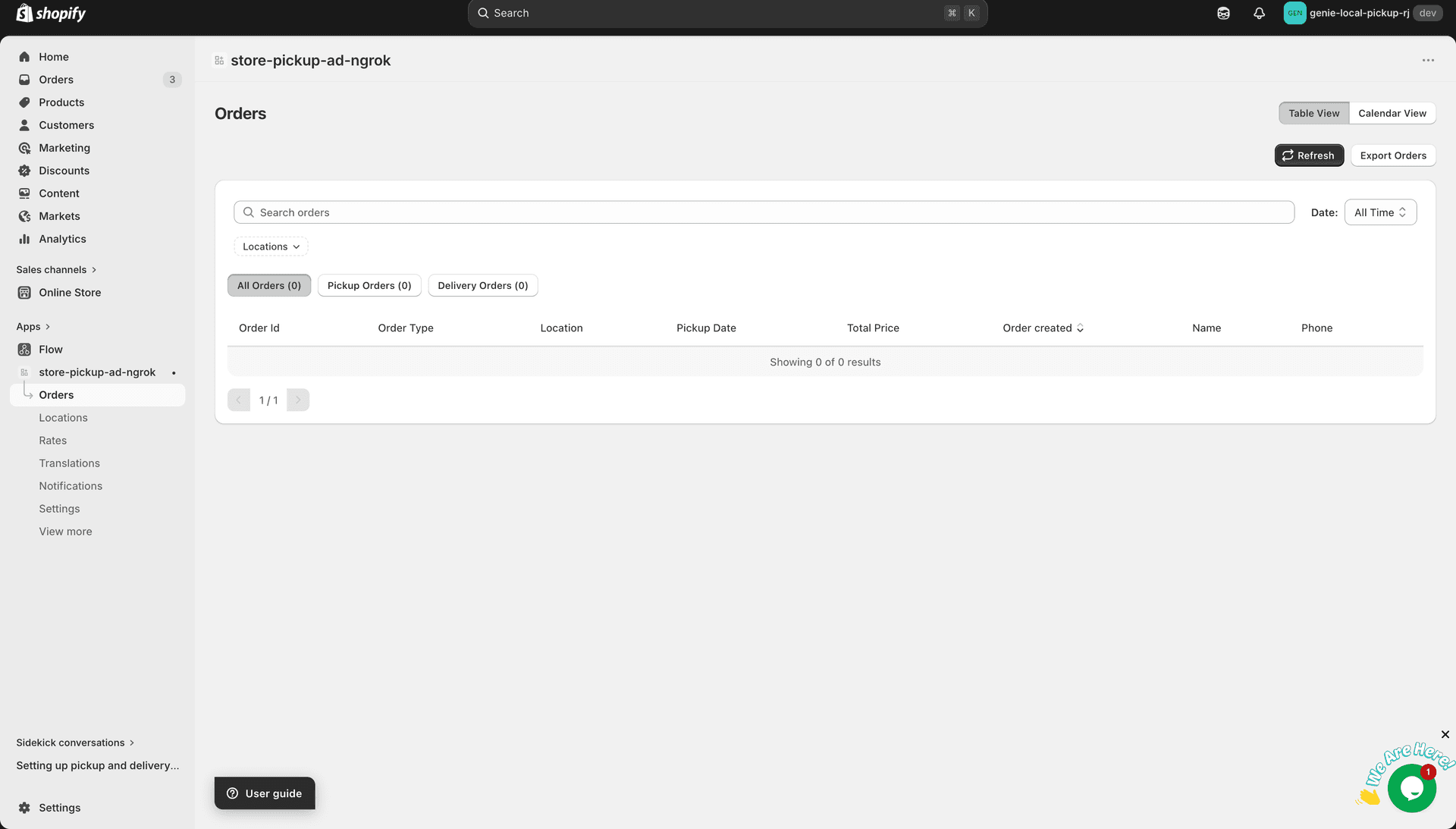
Pickup date and location are stored on the Shopify order
Key features
• Multiple pickup locations — each with their own days, time slots, and prep times • Local delivery with zipcode-based area per location • Blocked dates and minimum / maximum order lead times • Orders dashboard with calendar view and CSV export • Widget appearance customization to match your brand • Multi-language translations for all storefront labels • Per-product pickup/delivery settings and prep times
No coding required. The widget is added via a Shopify App Embed — your theme files are never modified.