
Setting delivery distance radius
Last updated: March 28, 2026
Define how far you deliver from each location.
The Delivery Method setting controls which customers are eligible for local delivery. You can restrict delivery by a list of zip/postal codes, or by a geographic distance radius calculated using Google Maps.
Delivery Method is a global setting — changing it affects all delivery-enabled locations, not just the one you are currently editing. A confirmation prompt will appear before the change is applied.
Open delivery method settings
From the app sidebar, click "Locations".
Click the location you want to configure.
Scroll to the "Local Delivery" section and expand it.
Find the "Delivery Method" card.
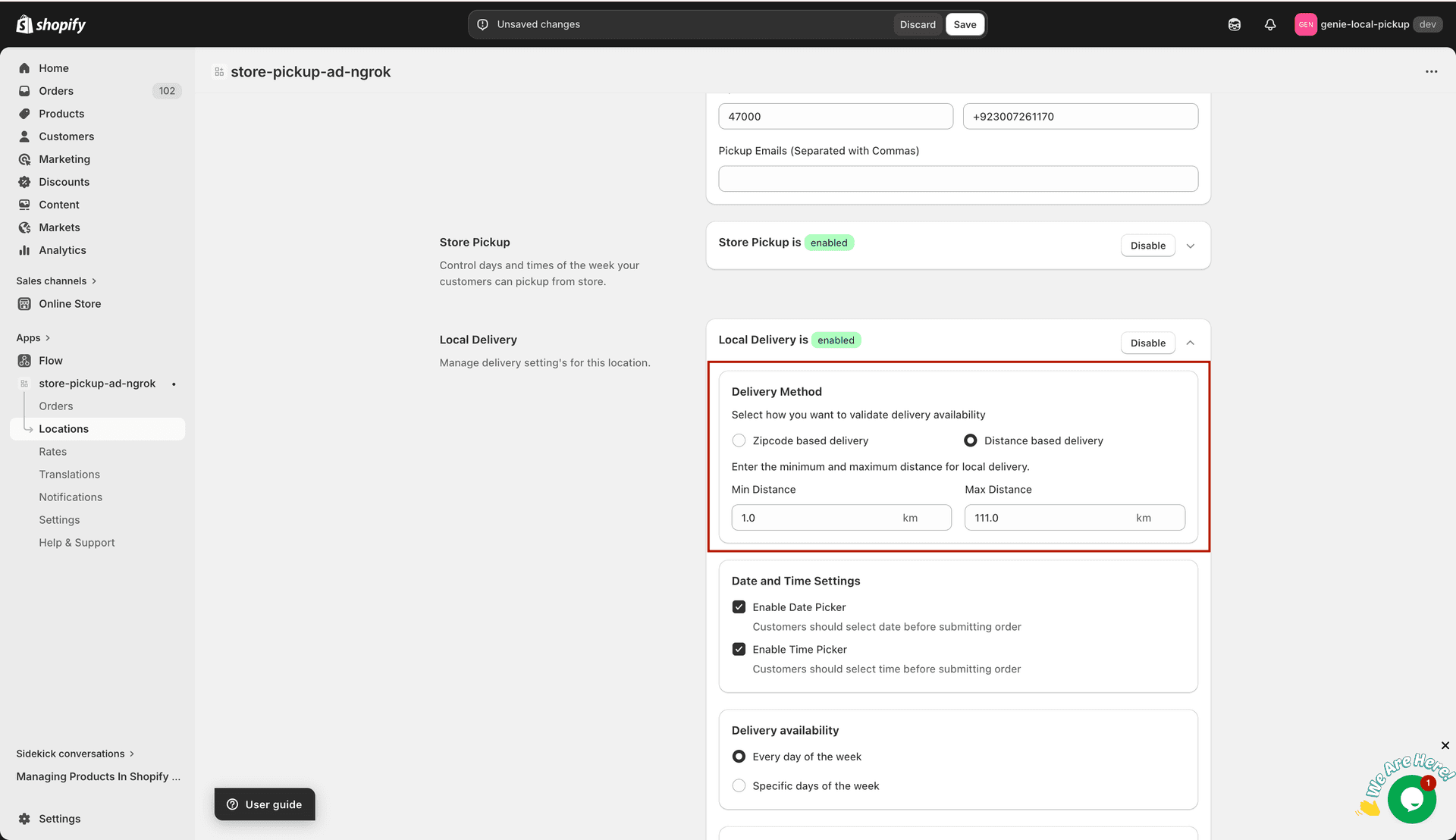
Choose whether to validate delivery eligibility by zip code or by distance
Option A: Zipcode based delivery
Select the "Zipcode based delivery" radio button.
Enter the zip or postal codes you deliver to in the text field, separated by commas (e.g. 10001, 10002, 10003).
Alternatively, click "Upload Excel file" to import codes in bulk from the first column of an .xlsx, .xls, or .csv file (max 1 MB).
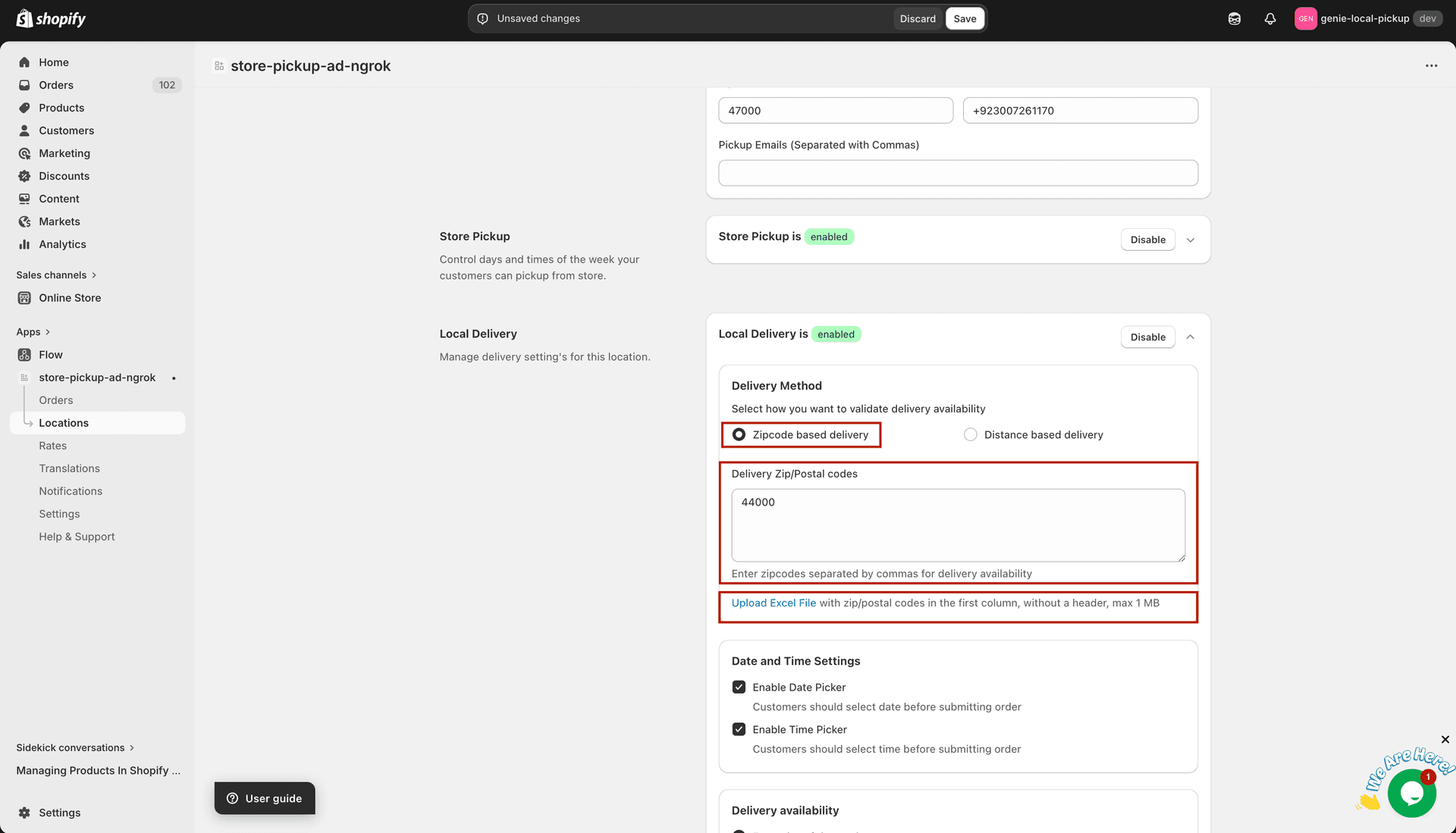
Enter zip codes manually or upload a spreadsheet
Option B: Distance based delivery
Select the "Distance based delivery" radio button and confirm the global change in the prompt that appears.
If prompted, enter your Google Maps API key in the modal that appears. This is required for distance calculations.
Set the latitude and longitude for this location in the modal if prompted.
Enter the "Min Distance (km)" — the minimum distance from the location within which delivery is offered.
Enter the "Max Distance (km)" — the maximum delivery radius from this location.
Set Min Distance to 0 if you want to deliver to customers right next to the store with no lower limit.
Click "Save" to apply your changes.