
Delivery preparation time
Last updated: March 28, 2026
Set how much time is needed before a delivery order goes out.
Delivery preparation time lets you specify a minimum processing time before a delivery can leave your location. You can configure this per day of the week and set a cutoff after which orders placed that day are treated as next-day orders.
Enable delivery preparation time
From the app sidebar, click "Locations".
Click the location you want to configure.
Scroll to the "Local Delivery" section and expand it.
Find the "Delivery Preparation Time" card.
Check the enable checkbox to turn on preparation time for this location.
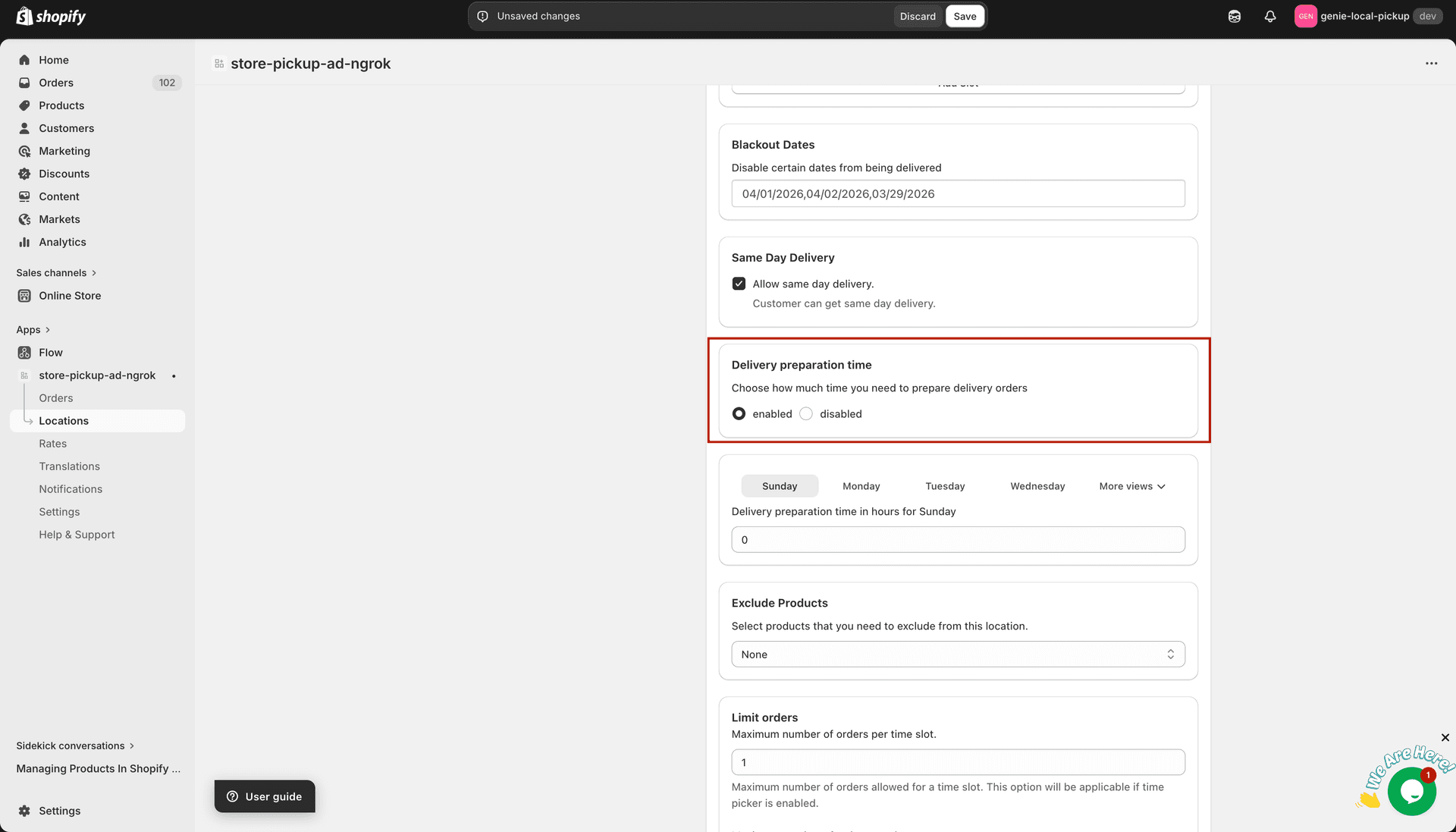
Once enabled, a row appears for each day of the week
Configure per-day preparation time
For each day you want to configure, check the checkbox next to that day to activate it.
Enter the preparation time required for that day (in minutes or hours, depending on the field label).
If you want to apply a time cutoff, enter the time after which orders placed on that day are held until the following delivery window.
For example: if Saturday preparation time is 90 minutes and the cutoff is 4:00 PM, an order placed at 4:30 PM Saturday will not be eligible for same-day delivery.
Click "Save" to apply your changes.