
Limiting orders per delivery slot
Last updated: March 28, 2026
Cap the number of delivery orders per time slot.
Delivery order limits let you cap how many orders can be booked in a single time slot or across an entire day. This helps you avoid over-committing your delivery capacity and ensures a manageable workload for your team.
Set per-slot and per-day limits
From the app sidebar, click "Locations".
Click the location you want to configure.
Scroll to the "Local Delivery" section and expand it.
Find the "Delivery Limit Orders" card.
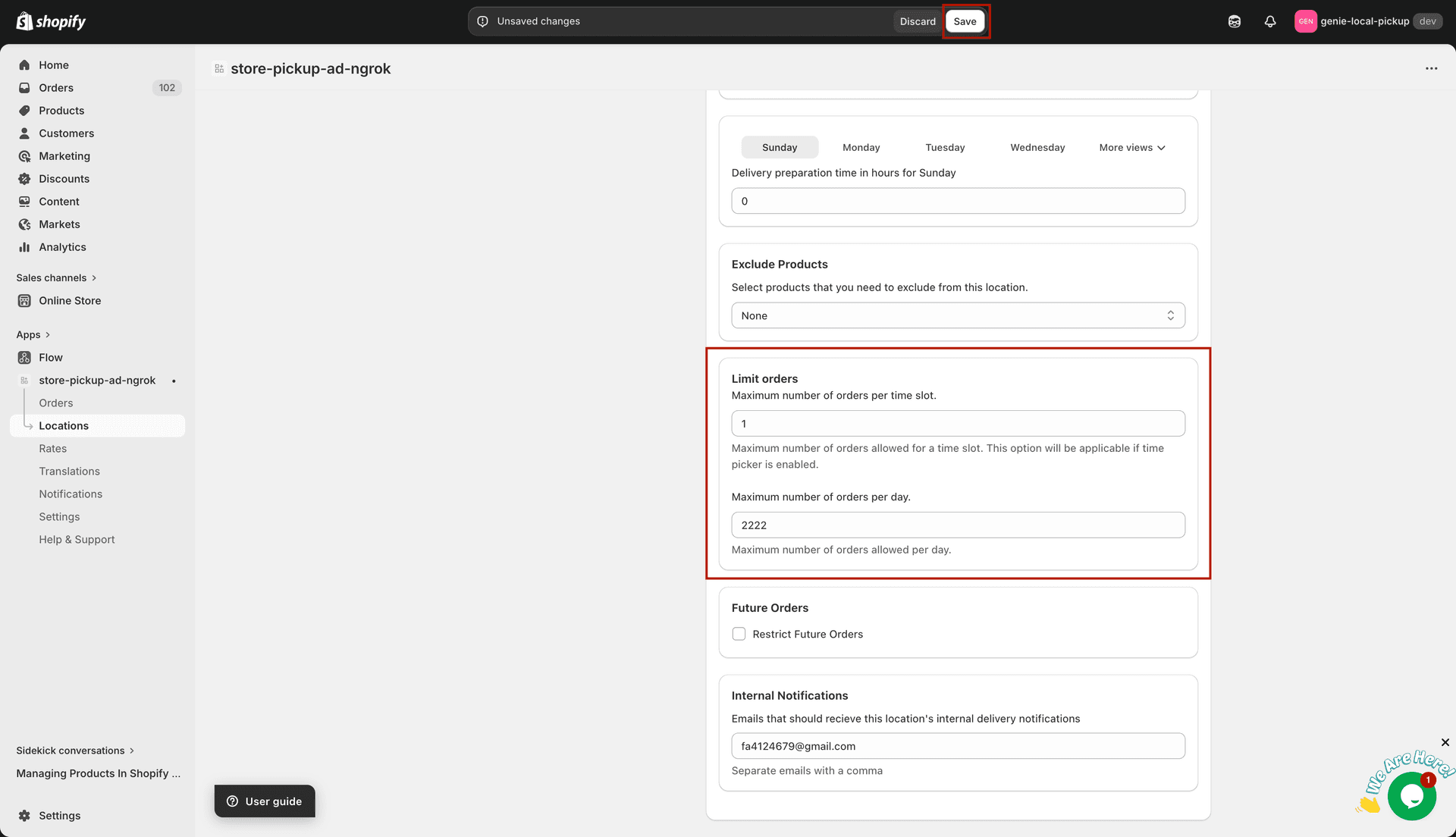
Set separate caps for individual time slots and for the whole day
Enter a value in "Max orders per time slot". Once this number of delivery orders is booked for a slot, that slot will no longer appear as available at checkout.
Enter a value in "Max orders per day". Once the daily total is reached, no further delivery orders can be placed for that date regardless of remaining slot availability.
Leave a field empty or set it to 0 to remove that limit. For example, you might cap per-slot orders but leave the daily total unlimited.
The per-slot limit applies to the time interval defined in your delivery time settings. Shorter intervals mean more slots and a lower per-slot count may be appropriate.
Click "Save" to apply your changes.