
Minimum & maximum pickup days
Last updated: March 28, 2026
Control how far in advance customers can schedule a pickup.
The Future Orders settings let you set a window of valid pickup dates. Use the minimum days value to require a lead time before the first available slot, and the maximum days value to prevent bookings too far in the future.
Configure future order limits
From the app sidebar, click "Locations".
Click the location you want to configure.
Scroll to the "Store Pickup" section and expand it.
Find the "Future Orders" card.
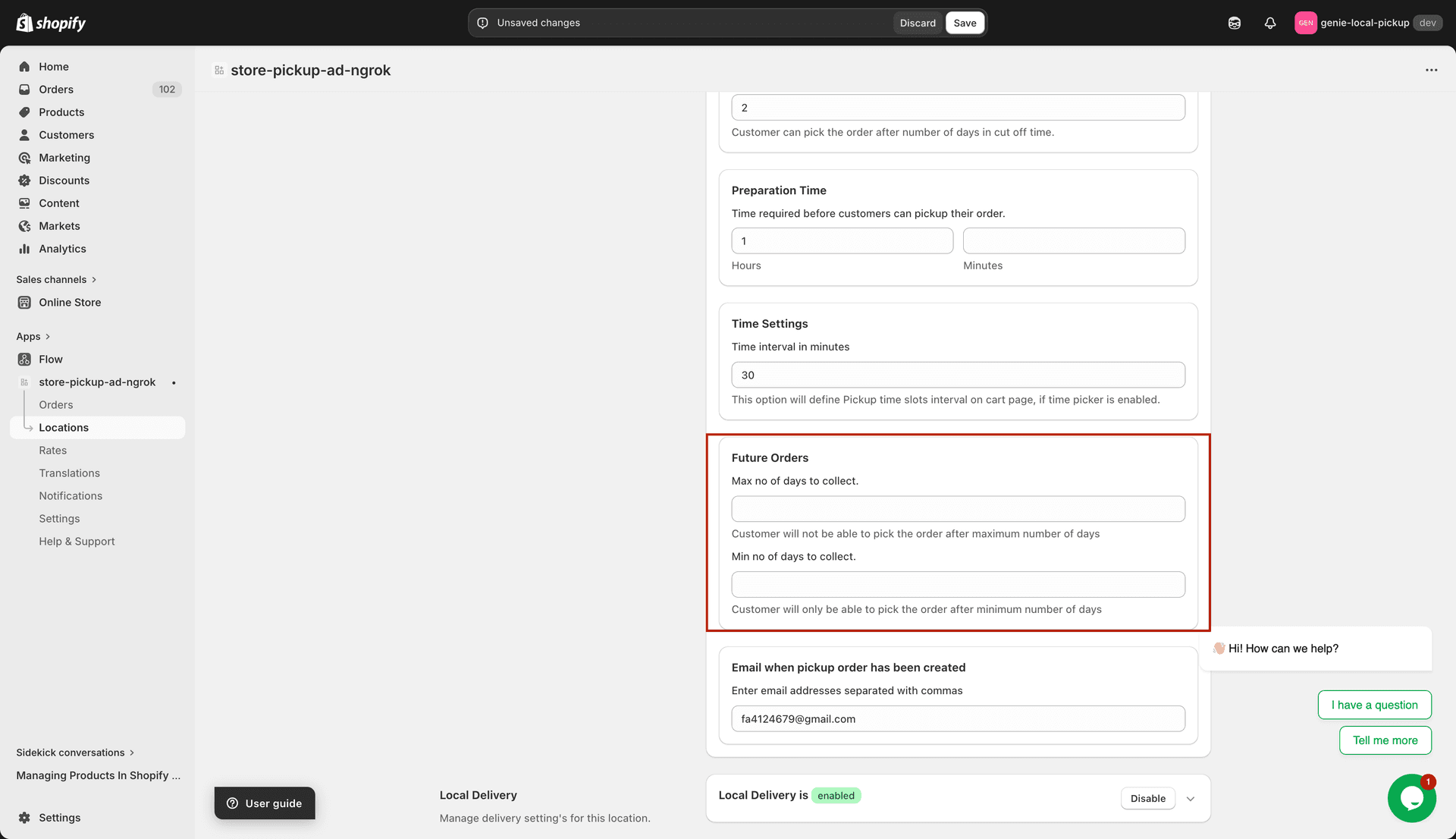
Set the booking window using the Min and Max days fields
Enter a value in "Max days to collect". This is the furthest date in the future a customer can schedule a pickup. Must be 0 or greater.
Enter a value in "Min days to collect". This is the minimum number of days from today before a pickup can be scheduled. Must be 0 or greater.
Setting Min days to 1 means customers cannot pick up today — the earliest slot is tomorrow. Setting Max days to 14 means no orders can be placed more than two weeks out.
Set both values to 0 to remove all restrictions and allow pickup on any available day.
Click "Save" to apply your changes.