
Override: Fulfillment days
Last updated: April 22, 2026
Limit matching products to specific weekdays for delivery and/or pickup — for example no Sunday delivery for frozen goods.
This replaces which days are available for scheduling only for matching products. Your default location calendar still applies to everything else.
When you would pick this in the app
In "Product-based override by", select Fulfillment days.
Steps
Create a new product-based override and set it to Enable.
Choose Fulfillment days from the override type dropdown.
Add tags and/or SKUs for the products that need this weekday schedule.
Click the Local Delivery tab. Check each weekday when delivery should be allowed for these products. Leave a day unchecked to block delivery on that weekday.
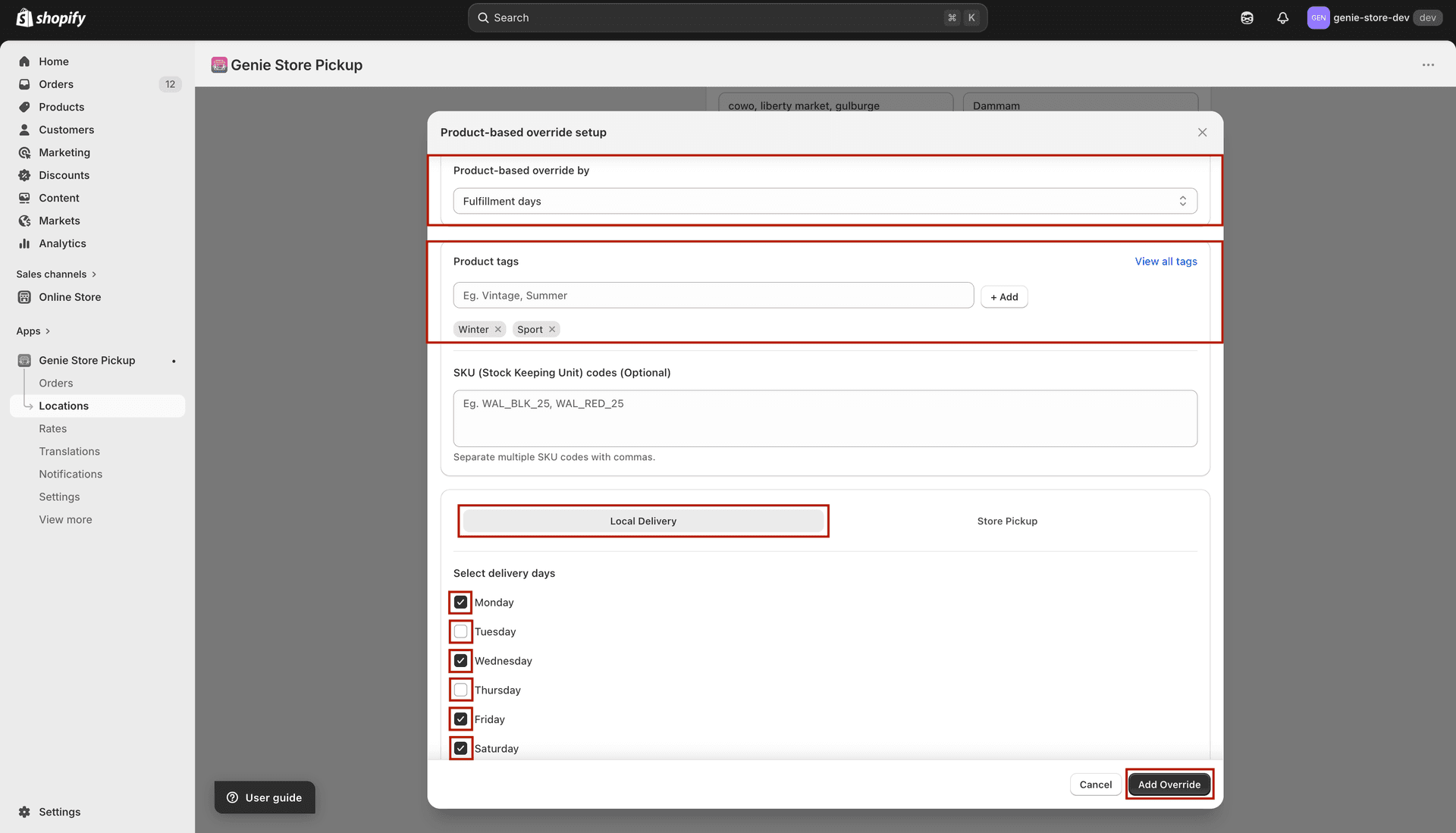
Delivery days for matching products only
Click the Store Pickup tab. Either check "Same as local delivery" to copy the weekday pattern, or uncheck it and set pickup days separately.
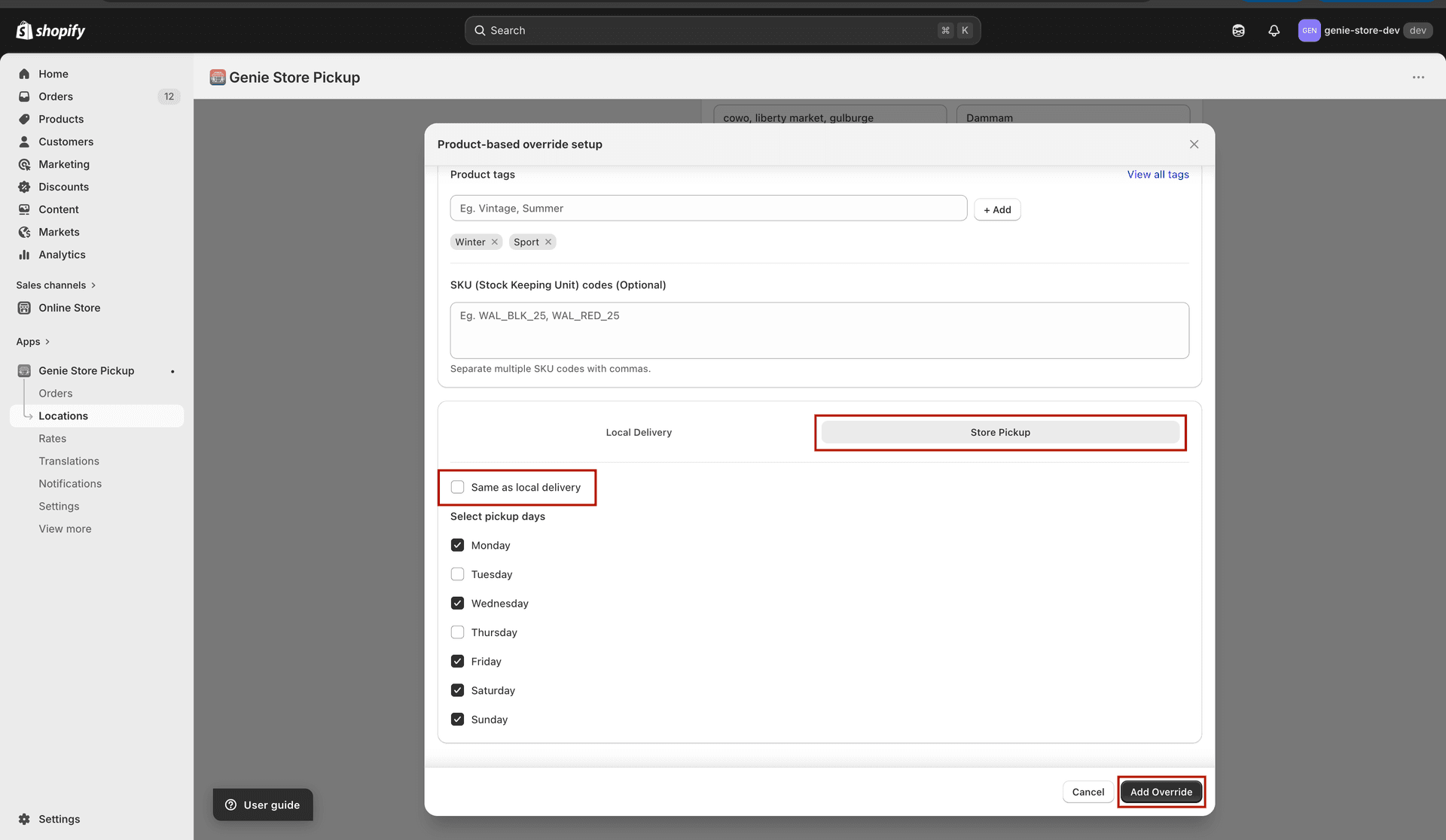
Pickup can mirror delivery or use its own days
Save the location.
If a day is unchecked here, customers with matching products cannot schedule that day — even if your main location normally offers it.