
Override: Fulfillment methods
Last updated: April 22, 2026
Choose whether matching products can use Local delivery, Store pickup, or both — without changing other products.
Use this when certain products must not show one of the checkout options. Example: heavy furniture — delivery only. Or in-store exclusives — pickup only. Only carts that include a product matching your tags or SKUs are affected.
When you would pick this in the app
In the "Product-based override by" dropdown, select Fulfillment methods.
Steps
Go to Locations → your location → Product-based overrides → add a new override.
Set Override status to Enable.
Under "Product-based override by", choose Fulfillment methods.
Add the product tags and/or SKU codes for the products this rule applies to.
Under "Choose available fulfillment methods", check Local delivery and/or Store pickup to match what customers should see when a matching product is in the cart.
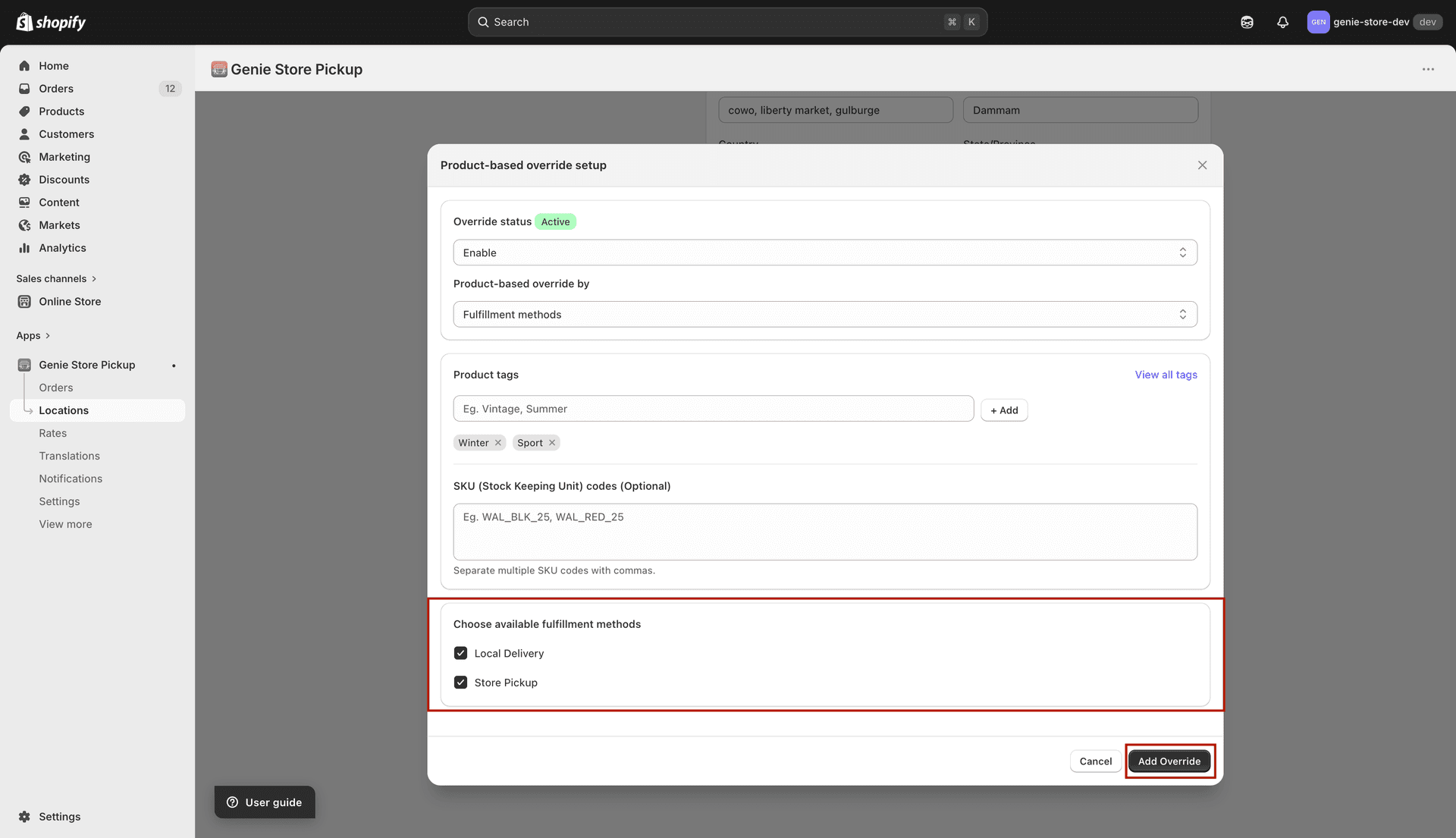
Checked options stay available for matching products; unchecked options are hidden for those carts
Save the location.
This override does not remove pickup or delivery for your whole store — only for carts that contain a matching product.