
Enable or disable the app, store pickup, local delivery, and shipping visibility on your storefront. Also control location search.
General Settings controls the overall visibility of the app and its three storefront options — Pickup, Delivery, and Shipping. These toggles determine what customers see at checkout. There is also a sub-tab for enabling location search.
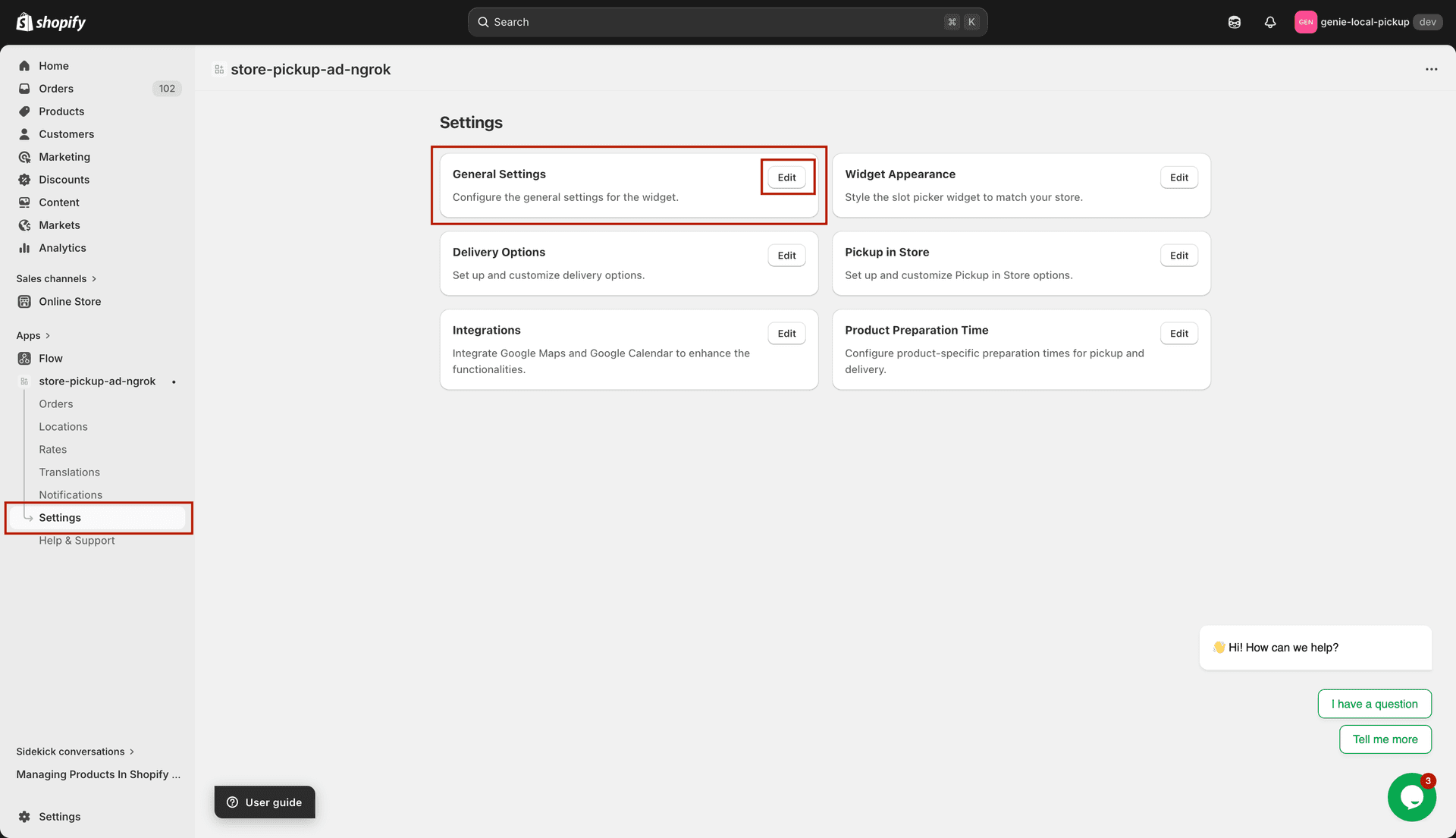
General Settings — 4 toggle cards controlling storefront visibility
General Settings tab — 4 toggles
Genie Pickup & Delivery App — the master on/off switch for the storefront widget. When disabled, the entire pickup/delivery widget is hidden from your storefront. Your locations and configuration remain untouched in the admin — only customers stop seeing the widget.
Store Pickup — shows or hides the pickup option on the storefront. When disabled, customers cannot see or choose store pickup at checkout. Your pickup locations in the admin are not affected.
Local Delivery — shows or hides the delivery option on the storefront. When disabled, the delivery date picker is hidden from all customers. Your delivery location settings remain saved in the admin.
Shipping — shows or hides the standard shipping option on the storefront. Disabling this hides the shipping section of the widget from customers. It does not delete or change anything in your Shopify shipping settings.
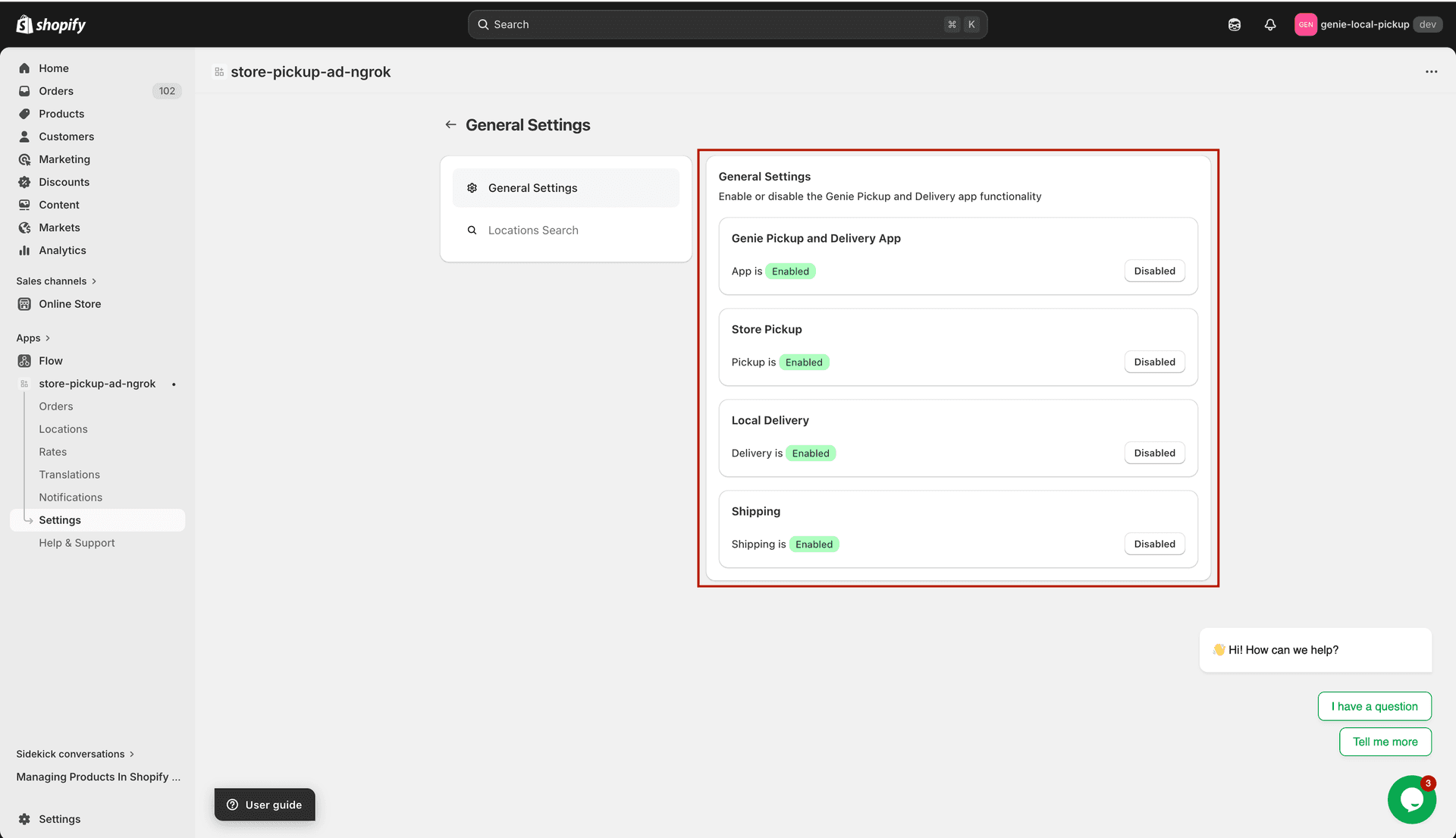
Each card shows the current status (Enabled/Disabled) with a button to toggle it
These toggles only control what customers see on your storefront — they do not delete or change any of your location settings, time slots, or configurations in the admin. You can safely disable and re-enable at any time.
Locations Search tab
The second tab in General Settings is "Locations Search". It has one setting:
Enable Locations Search — when checked, a search box appears in the pickup widget so customers can search for a pickup location by name instead of scrolling through a list. Useful if you have many locations.
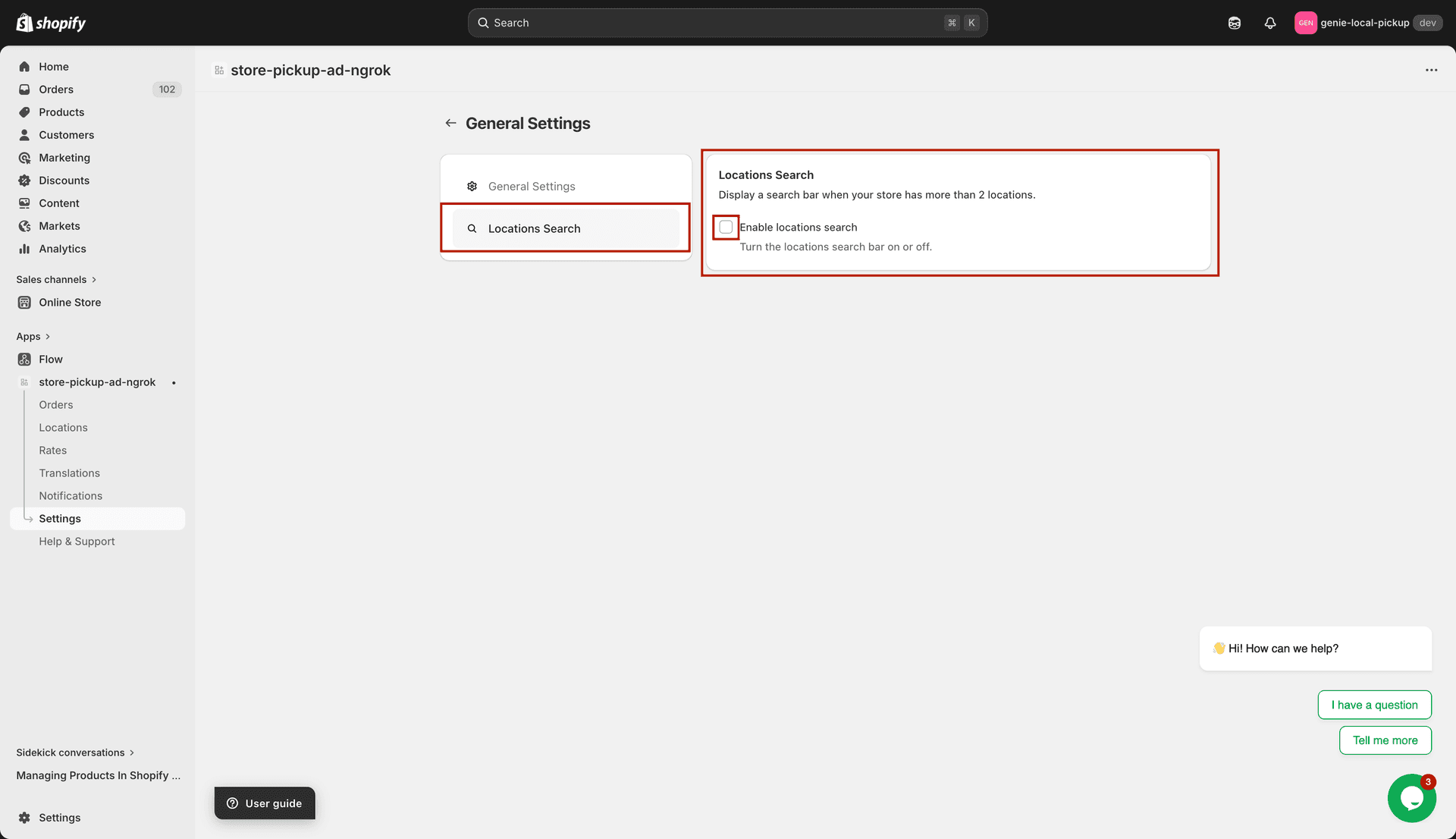
Enable location search so customers can find a location by typing its name
What's Next