
Configure storefront visibility, location search, and product-based widget hiding.
General Settings has three tabs in the left sidebar. Each tab controls a different part of your storefront experience.
Open General Settings
From the app sidebar, click "Settings".
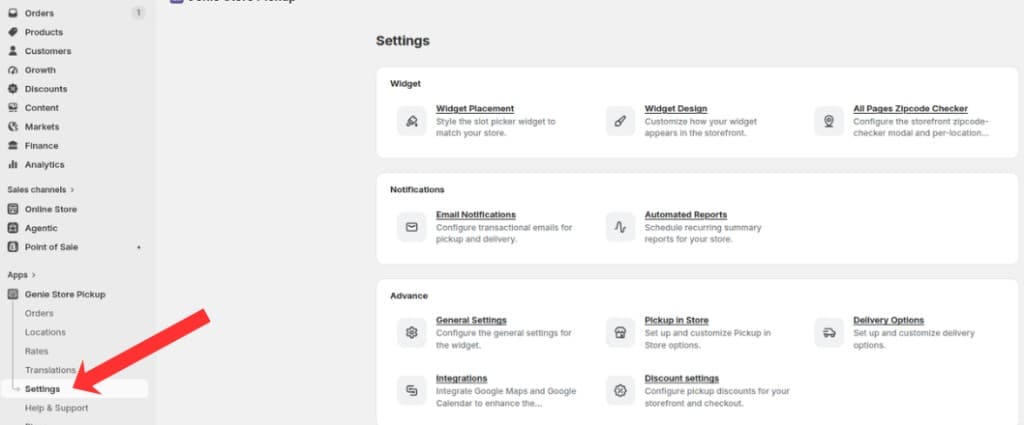
Open Settings from the app sidebar
On the Settings overview, open the Advanced group and click "General Settings".
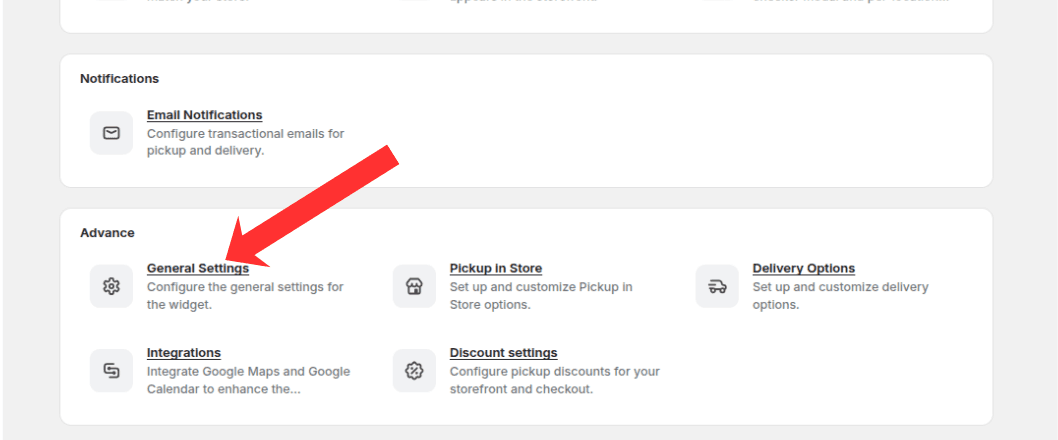
Open the Advanced group and click General Settings
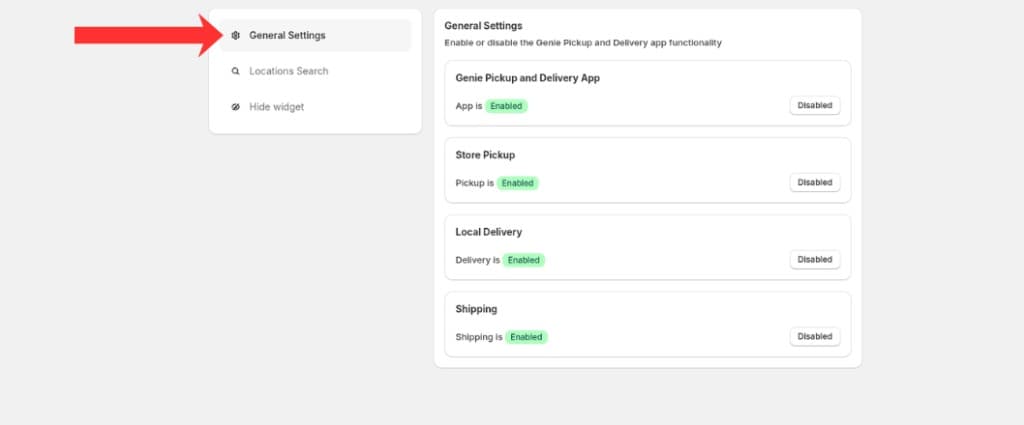
Use the left sidebar to switch between General Settings, Locations Search, and Hide widget
Guides
General Settings Tab
Enable or disable the app, pickup, delivery, and shipping on your storefront.
Locations Search
Display a search bar in the pickup widget when your store has more than 2 locations.
Hide Widget
Hide the widget for specific products such as gift cards, workshops, and non-physical products.
What's Next